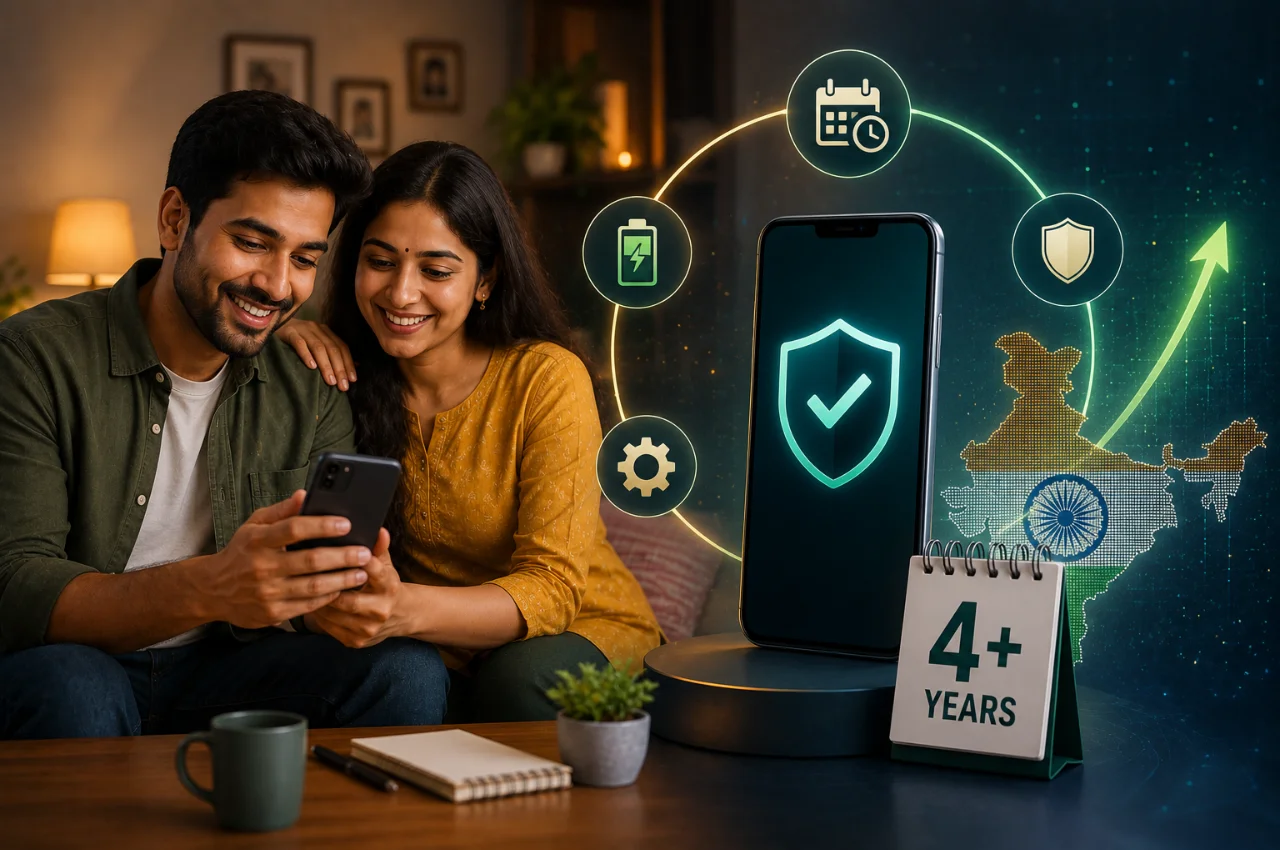
Something significant has shifted in how Indians relate to their smartphones.
For years, the pattern was predictable. New phone launches every six months. Aggressive EMI offers. The feeling that your current device was already becoming obsolete. Upgrade culture was real, it was marketed heavily, and it worked — millions of people changed phones every two years almost out of habit.
That pattern is breaking down. According to the Flipkart-Counterpoint Research Smartphone Insights Report 2026, Indians are now keeping their phones for nearly four years on average — a new record. The first quarter of 2026 saw smartphone shipments in India hit their lowest point in six years. Mint, Counterpoint Research, and multiple industry trackers have all confirmed the same trend: Indians are holding on to their phones significantly longer than before.
This is not just a statistic. It represents a genuine change in how people think about the devices they carry. And if you are among the millions who are keeping your current phone for the long term — either by choice or necessity — this guide will help you do it well.
Why Are Indians Holding On to Their Phones Longer?
Before getting into the how, it is worth understanding the why — because the reasons are more interesting than they might initially appear.
Prices have climbed significantly. Over 80 smartphone models saw average price hikes of nearly 15% in the past year, driven by rising component costs, memory chip shortages, and global supply chain pressures. A phone that was available for ₹18,000 two years ago now costs ₹22,000 or more. When the cost of upgrading rises, people think twice before doing it.
Incremental improvements have slowed. The jump from a 2019 phone to a 2021 phone was noticeable — better cameras, faster processors, dramatically improved displays. The jump from a 2023 phone to a 2025 phone? Many users genuinely cannot tell the difference in everyday use. When the new model does not feel meaningfully better, the motivation to upgrade fades.
Indians have become more financially deliberate. Post-pandemic spending habits changed in ways that have proved lasting. Discretionary spending is being evaluated more carefully. A phone that works is a phone you keep.
Software support has improved dramatically. Samsung now offers seven years of updates for its Galaxy S series. Google offers seven years for Pixel phones. Even mid-range brands have extended their update commitments. A phone that keeps receiving security patches and new features for seven years is genuinely worth keeping for four or five.
AI has made older phones feel newer. On-device AI features — smarter cameras, voice assistants, background app management — have improved significantly through software updates on phones that are two and three years old. People are discovering their existing phones can do things they did not know were possible.
The result is a more mature market. Buyers are asking not “which phone should I upgrade to” but “how do I get the most out of what I already have.” That is a smarter question, and this guide answers it.
The Hidden Truth About Phone Longevity
Here is something most phone reviews never tell you: the single biggest factor in how long your phone lasts has almost nothing to do with the brand or model you bought. It has almost everything to do with how you treat it in the first two years.
Batteries are the component that fail first and most noticeably. A phone with a degraded battery feels slow, dies at random percentages, and needs constant charging — and most people blame the phone when the actual problem is a battery that could be replaced for ₹1,500 to ₹2,500. Protecting your battery from the beginning extends the useful life of your phone significantly.
Storage fills up gradually and quietly until the day it does not. A phone that is 90% full runs measurably slower than one with comfortable headroom. Managing storage is something people rarely think about until it is too late.
Software accumulates. Apps get installed, updates run, cache grows, permissions expand. A phone that ran perfectly at purchase can feel sluggish three years later not because the hardware has degraded but because the software environment has become cluttered.
All of these are manageable — if you know what to do.
Part 1 — Protecting Your Battery From Day One
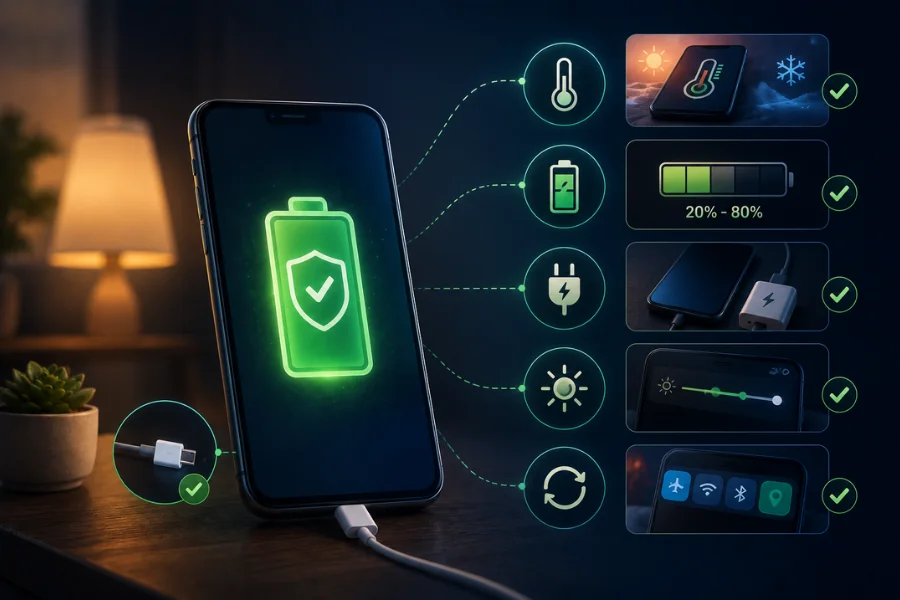
Battery health is the most important long-term variable in your phone’s life. Unlike other components, batteries chemically degrade over time — and the rate of that degradation is heavily influenced by your charging habits.
The chemistry behind lithium-ion batteries — which every smartphone uses — is most stable between 20% and 80% charge. Keeping your battery consistently at these extremes — either fully charged at 100% for extended periods or drained to 0% repeatedly — causes measurable chemical stress that permanently reduces capacity over time.
The practical version of this: do not charge overnight every single night if you can help it. A phone that sits plugged in at 100% for eight hours while you sleep experiences more stress than one that charges to 80% and stops. Many modern phones let you automate this.
On Samsung phones, go to Settings, then Battery and Device Care, then Battery, then Battery Protection. Enable it and set the limit to 85%. The phone will stop charging at that level. On OnePlus, look for Optimised Charging under Battery settings. On iPhones — not Android, but worth knowing if family members ask — Optimised Battery Charging is under Settings, Battery, Battery Health. Xiaomi and Redmi phones have Battery Saver settings that include charge limits under their battery section.
Heat is the other battery killer. Every time your phone gets genuinely hot — during fast charging, during gaming, in direct sunlight in a parked car — battery degradation accelerates. The interior of a car in Indian summer can reach temperatures that cause permanent battery damage in under an hour. Do not leave your phone on the dashboard.
Remove your case while fast charging. Cases trap heat. A phone charging at 65W or higher generates significant heat, and a thick case makes it worse. Thirty seconds to remove the case before a fast charge session makes a real difference over the months and years.
The target is simple: a phone kept between 20% and 80% most of the time, charged in cool conditions, will retain significantly more capacity after two years than one that gets plugged in at any percentage, left to charge to 100%, and left in the heat regularly.
Part 2 — Managing Storage for the Long Term
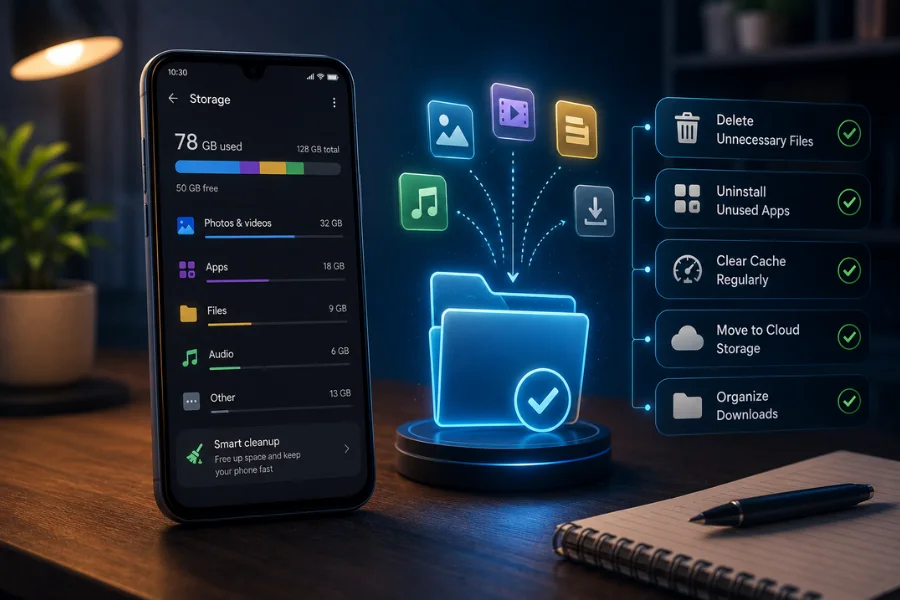
Storage problems sneak up on people. A 128GB phone feels enormous until, eighteen months in, you start getting low storage warnings that seem to come more frequently every month.
The issue is not just space — it is performance. Android needs free storage to function efficiently. When internal storage crosses 80-85% full, the operating system starts struggling with temporary file management, app caching, and basic operations. The phone feels slow in ways that seem mysterious but are actually straightforward to fix.
Google Photos is the most important tool here. Enable backup — under Photos settings, turn on Backup and set it to Storage Saver quality, which does not count against your 15GB of free Google storage and is essentially indistinguishable from original quality for normal viewing. Once photos are backed up, you can free up local storage using the Free Up Space option in Google Photos, which removes locally stored copies of photos that are safely backed up in the cloud.
On a phone that has been used for two or three years, this exercise often frees up 10 to 20 gigabytes immediately. The difference in performance is noticeable.
Be selective about apps. Every app that sits on your phone takes up storage, may run background processes, and contributes to the accumulated weight of software that slows things down. If you have not opened an app in two months, ask whether you genuinely need it installed rather than just accessible through a browser when needed. Deleting ten apps you never use can free up several gigabytes and reduce background activity meaningfully.
Use Files by Google — the free storage management app from Google — to find and remove duplicate files, large forgotten downloads, and cached data from apps. Run it quarterly rather than only when you get a warning.
The goal is to keep your storage below 70% full as a standing practice. A phone with breathing room performs better and continues to perform better for longer.
Part 3 — Software Health Over Time
A phone’s software environment is like a desk drawer. Use it consistently without organizing it and it fills up — not with things you deliberately added, but with accumulated clutter that arrived gradually.
Apps update themselves regularly. Some updates improve things. Occasionally an update makes an app heavier, more battery-hungry, or slower than its previous version. The Facebook app is the canonical example — it has become significantly more resource-intensive over the years regardless of what phone it runs on. If a specific app started feeling slow after an update, restricting its background activity or switching to its mobile website version is a legitimate strategy.
App permissions creep over time. An app asks for a new permission during an update and you tap Allow without reading it, because you are in the middle of something. Then another. Over two years, apps that had no reason to access your location, your contacts, or your microphone have acquired permissions to all three. Reviewing and revoking unnecessary permissions twice a year — under Settings, Privacy, Permission Manager — reduces background activity and improves both performance and privacy.
System updates matter more than most people realize. Manufacturers release performance optimization patches, battery efficiency improvements, and security fixes through regular updates. These are not just security updates. They often include specific fixes for performance regressions that affect large numbers of devices. Keeping your system software updated is one of the simplest things you can do for long-term performance.
Factory resets — covered in more detail in the Android speed article elsewhere on this site — are a legitimate option for a phone that has been in use for three or more years and has accumulated significant software clutter. A clean start with deliberate reinstallation of only what you actually need often makes a three-year-old phone feel genuinely new.
Part 4 — Physical Care That Actually Matters
The physical condition of your phone affects both its longevity and its resale value if you ever decide to sell or upgrade. And some of what people do to “protect” their phones is counterproductive.
Screen protectors are worth having — a tempered glass protector absorbs the impact of drops that would otherwise crack the actual screen. Replace them when they crack rather than leaving a cracked protector in place, as fragments can damage the screen underneath.
Cases are more complicated. A good case protects against drops — this is straightforward. But thick, poorly ventilated cases trap heat during charging and during heavy use, accelerating battery degradation. If you use a thick rugged case, consider removing it during charging sessions and during extended gaming.
Water exposure deserves more respect than it typically gets. Most mid-range and flagship phones have IP67 or IP68 water resistance ratings — which means they can handle submersion, not just splashes. But water resistance degrades over time as the seals around ports and buttons wear. A phone that survived submersion at one year old may not survive the same treatment at three years old. Treat your phone as water-resistant for splashes and brief accidental exposure, not as waterproof for swimming or extended submersion.
The charging port is one of the most physically stressed components on any phone. Pushing the cable in at an angle repeatedly, using cheap uncertified cables, and yanking cables out rather than pulling straight all contribute to port degradation over time. Certified cables, careful insertion, and gentle removal add up to a charging port that works properly for five years rather than two.
Part 5 — When a Repair Makes More Sense Than an Upgrade
This is the conversation most people are not having, and it is one of the most financially intelligent things to understand.
The most common reason people upgrade when they do not need to is a degraded battery. The phone is slow, it dies by 2 PM, it shuts off at 20%. The natural conclusion is that the phone is old and needs replacing. But in the majority of cases, the phone’s hardware is completely fine — it is the battery that needs replacing, not the phone.
Battery replacement at an authorized service center or a reputable local repair shop costs between ₹800 and ₹2,500 for most common models. This is the cost of one moderately nice dinner, versus ₹15,000 to ₹80,000 for a replacement phone. A phone that was perfectly capable two years ago, with a new battery, often performs like a new device.
Screen replacements, similarly, are dramatically cheaper than upgrading. A cracked screen on a mid-range phone can typically be replaced for ₹2,000 to ₹5,000. The same phone with a new screen costs a small fraction of what a replacement phone would.
The calculus is simple: if your phone’s hardware is fundamentally fine and a single component replacement can restore its performance and usability, that repair is almost always the better financial decision. The only case where an upgrade is clearly justified over repair is when the phone has fallen significantly behind on software support — no security updates, incompatibility with apps you rely on — or when the hardware itself is failing in multiple ways simultaneously.
Choosing Your Next Phone With Longevity in Mind
When you do eventually upgrade — and you will, at some point — making a choice with longevity in mind from the beginning extends how long that next phone will serve you.
Software update commitment is the most underrated specification. A phone that receives security updates and new Android versions for seven years is a fundamentally different value proposition than one that gets two years of updates and then stops. Samsung’s Galaxy S series, Google Pixel phones, and some Nokia models currently offer seven years of updates. OnePlus offers four years for its flagships. Most budget phones from Realme, Vivo, and Xiaomi offer two to three years. This specification alone can determine whether you are replacing your phone in three years or in six.
Repairability matters more than most buyers consider. Some phones are significantly easier to repair than others — replacement parts are readily available, service centers are accessible, and the device is designed in a way that allows component replacement without destroying the unit. Google Pixel phones score well here. Some other flagships are designed in ways that make repair extremely difficult and expensive. Checking repairability ratings before purchase is worth the few minutes it takes.
Storage matters more at purchase than it seems it will. A phone bought with 128GB will feel cramped in two years for many users. 256GB is the minimum worth considering for anyone who shoots video or installs many apps. The difference in price at point of purchase is almost always less than the inconvenience of managing storage for four years on a phone that is consistently too full.
The Bigger Picture
There is something quietly satisfying about using a phone you know well — one where you have figured out exactly how to get the most out of it, where the apps are arranged perfectly, where you know its quirks and have worked around them.
The upgrade culture that dominated the past decade was always partly manufactured. Manufacturers need new sales. Marketers need to create desire. The message that your current phone is no longer good enough arrived on schedule every six months.
The shift toward longer upgrade cycles is Indian consumers making a more rational calculation. A well-maintained phone from two or three years ago does everything most people need. Keeping it well and knowing how to troubleshoot it is a genuinely useful skill — one that saves money, reduces electronic waste, and often results in a better experience than perpetually chasing the newest release.
The tips in this guide are not complicated. They are habits. And like most good habits, their value compounds over time.
Frequently Asked Questions
How do I check my phone’s battery health on Android?
Android does not display battery health as prominently as iPhone does, but there are ways to check. On Samsung phones, go to Settings, then Battery and Device Care, then Battery — you will see a battery status indicator. On other Android phones, dial the code ##4636## to open a testing menu that includes battery information on some devices. Third-party apps like AccuBattery provide detailed battery health monitoring. As a general rule, a battery below 80% of its original capacity is worth replacing.
Is it worth repairing a three-year-old phone?
Usually yes, if the repair addresses the specific problem and the phone is otherwise in good condition. Battery replacement is almost always worth it. Screen replacement usually is. Major motherboard repairs on budget phones are generally not worth the cost relative to replacement. The key question is whether the phone’s hardware and software are fundamentally sound — if they are, targeted repair is typically the better financial decision.
Does fast charging damage the battery over time?
It does cause slightly more heat than standard charging, and heat accelerates battery degradation. The difference between 18W and 65W charging in terms of long-term battery impact is real but not dramatic if you follow the other habits in this guide — avoiding 100% overnight charges, keeping the phone cool during charging, using charge limit features when available. Occasional fast charging is fine. Using it as your default method while also charging overnight and keeping the phone in a hot car will compound the damage.
Which Android phones have the best software support in India in 2026?
Samsung Galaxy S series leads with seven years of OS updates and security patches. Google Pixel phones also offer seven years. OnePlus flagships offer four years of OS updates. Most mid-range and budget phones from Realme, Redmi, Xiaomi, and Vivo offer two to three years. Software support duration is published by manufacturers and should be verified before purchase.
Should I factory reset my old phone to make it faster?
A factory reset can genuinely restore performance on a phone that has accumulated significant software clutter over two or more years. It is a legitimate option, not a last resort. The prerequisite is a complete backup — Google backup, Google Photos, WhatsApp backup — before resetting. After resetting, install only the apps you actively use rather than reinstalling everything. The difference in performance can be substantial on a phone that was bought three or more years ago.
Final Thoughts
India is keeping its phones longer. That is not a sign of a market in trouble — it is a sign of a market growing up.
The most valuable thing you can take from this guide is not any single tip. It is the underlying shift in perspective: your phone is a device worth maintaining, not just a product to replace. Treat it like something you intend to keep for five years rather than two, and it will almost certainly hold up to that expectation.
Battery habits, storage management, software hygiene, and physical care — none of these require technical knowledge. They require attention and consistency. And the reward is a phone that stays fast, stays healthy, and stays yours for longer than most people expect is possible.