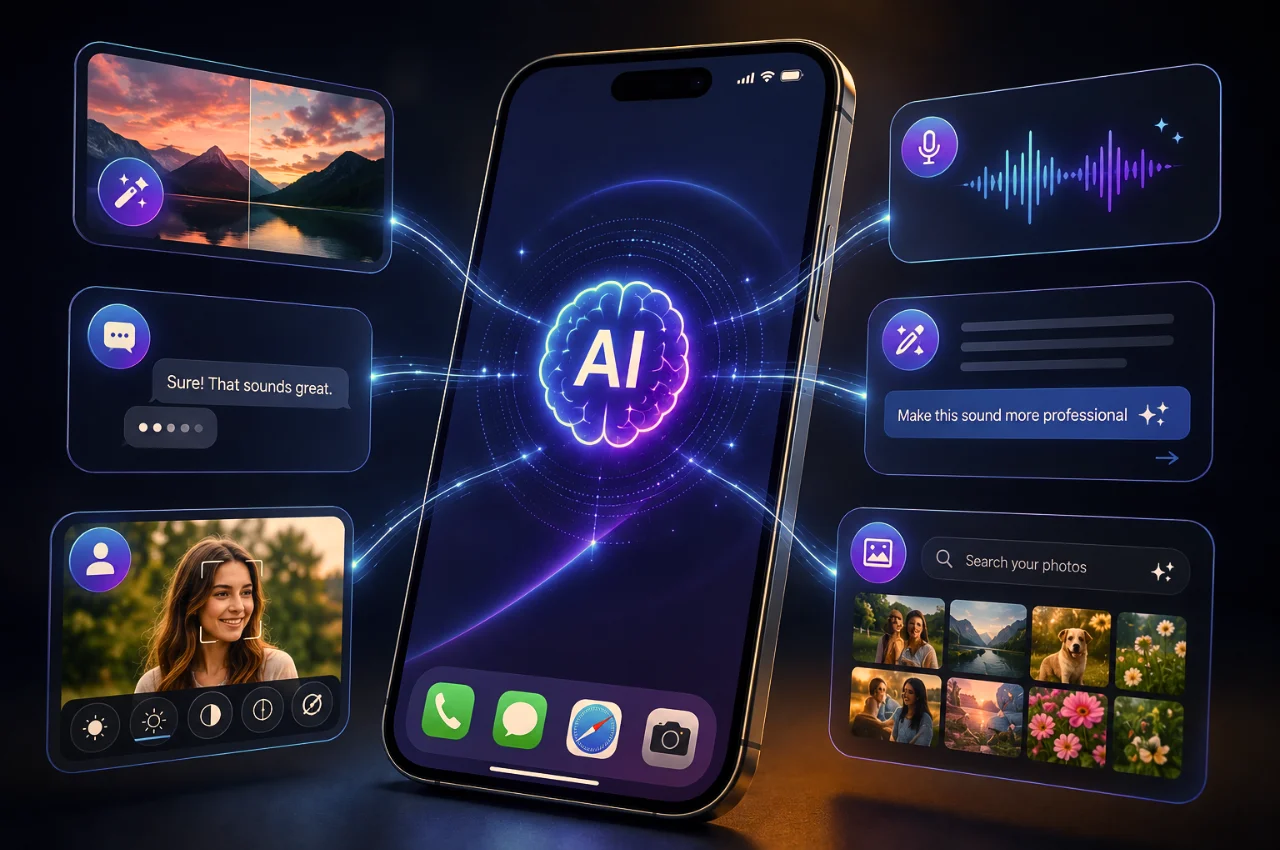
Open the spec sheet for almost any phone released in the past eighteen months — a Samsung Galaxy S25, a Realme 14 Pro, a OnePlus 13s, a Google Pixel 9 — and the word AI appears constantly. AI camera. AI battery management. AI wallpaper. AI summarize. AI translation. AI circle to search. AI writing assistance.
The marketing is everywhere. The explanation of what any of it actually means is almost nowhere.
Most people interact with these features daily without fully understanding what is happening. Some features genuinely improve your experience in ways you might not have noticed. Others are more marketing than substance. A few are genuinely impressive and most people have no idea they exist on their phone.
This guide explains every major category of AI on modern smartphones in plain, honest language — what it does, how it works, whether it actually helps, and which features are worth actively using versus which ones you can safely ignore.
First — What Does “AI” Actually Mean When Your Phone Says It?

Before going feature by feature, it is worth addressing the elephant in the room. “AI” on smartphones means different things in different contexts, and manufacturers use the term very loosely.
Sometimes it means on-device machine learning — a neural network running directly on your phone’s dedicated AI chip (called an NPU or Neural Processing Unit) that performs real-time analysis of data. Your camera’s scene recognition, your face unlock system, and your voice recognition all work this way. They are genuinely AI in the technical sense — trained models making predictions on your device without needing internet connectivity.
Sometimes it means cloud AI — your phone sends data to a server, a more powerful AI system processes it there, and the result comes back to your phone. Google’s AI Overviews in Search, Samsung’s Galaxy AI translation features, and Apple Intelligence’s more complex tasks work this way. These are also genuinely AI, but the intelligence is mostly happening off your device.
And sometimes it means basic algorithms with an AI label attached. Some features called “AI brightness adjustment” or “AI gaming mode” are really just adaptive algorithms — rules-based systems that adjust settings based on usage patterns. They work, they are useful, but calling them AI is aggressive marketing rather than accurate description.
The distinction matters because on-device AI works offline, is faster, and is more private. Cloud AI can be more powerful for complex tasks but requires connectivity and sends some data externally. Understanding which type you are dealing with helps you use these features more intelligently.
AI Camera — The Feature You Use Every Time You Take a Photo

This is by far the most widely used and most genuinely impactful AI feature on any smartphone, and most people have no idea how much it is doing every time they tap the shutter button.
Scene recognition is happening every single second your camera app is open. The AI on your phone’s chip is analyzing the camera feed continuously — identifying whether it is looking at food, a landscape, a portrait, text, a pet, flowers, architecture, or a night scene. When you tap the shutter, the processing parameters — white balance, saturation, sharpening, contrast, noise reduction — are applied based on what the AI identified. A food photo gets different processing than a landscape. A night scene gets different processing than a brightly lit outdoor shot. You do not configure any of this. It just happens.
Portrait mode blur is entirely AI. When you take a portrait and the background blurs, the phone is not using a separate depth sensor to physically measure distance for every pixel (though some phones have dedicated depth sensors that help). It is using machine learning to analyze the image, distinguish the foreground subject from the background, and apply a synthetic blur that approximates the look of a wide-aperture lens. Doing this convincingly — especially around hair, glasses, or complex edges — is a genuinely difficult computer vision problem, and the improvement in quality over the past four years has been dramatic.
Computational photography is AI applied to every aspect of image processing. When your phone captures a photo in low light, it is often combining multiple rapid exposures into a single image — a process called multi-frame processing that uses AI to align the frames, average out noise, and restore detail. Google’s Night Sight and Apple’s Night Mode are the best-known implementations, but every major Android brand does some version of this. The AI decides how many frames to capture, how to align them, and how to merge them in ways that fixed rules never could.
Real-time photo editing is becoming standard. The Samsung Galaxy S25 and Google Pixel 9 can identify unwanted elements in a photo — a stranger in the background, a power line crossing the sky — and remove them automatically using AI-powered generative fill that reconstructs what the scene would have looked like without the object. This is not a simple clone stamp. The AI generates new image content to fill the gap convincingly. A few years ago this required desktop Photoshop and significant skill. Now it takes a few seconds on a phone.
The practical takeaway: every photo you take on a 2024 or newer phone has been processed by AI to look better than what the sensor captured. The question is not whether you should use it — you already are, automatically.
AI Voice Assistant — From Timer Setter to Context-Aware Helper
Voice assistants have been on phones since Siri launched in 2011. For years, the honest assessment was that they were useful for very narrow tasks — setting timers, playing music, and answering simple factual questions — and frustrating for almost everything else.
In 2026, this has changed meaningfully, though not as dramatically as the marketing suggests.
The assistants on the three major platforms — Google Assistant with Gemini integration, Apple Siri with Apple Intelligence, and Samsung’s Bixby — now understand multi-step commands. “Set a timer for twenty minutes, then remind me to check the laundry when it goes off” is the kind of sentence that previously produced blank stares from voice assistants. Modern versions handle it. “Send my last photo to Mum on WhatsApp” works. “What’s on my calendar tomorrow and what’s the weather like” gets a coherent combined answer.
The reason they have improved is that the underlying NLP — Natural Language Processing — has become dramatically more capable. The models used for voice understanding are far larger and far better at context than those used in earlier voice assistants.
Where the gap remains is in tasks that cross app boundaries in complex ways, tasks requiring genuine judgment rather than information retrieval, and tasks that require understanding deeply personal context the assistant has not been trained on. Voice assistants in 2026 are genuinely useful productivity tools for straightforward tasks and genuinely unreliable for anything complex.
The most practical advice: learn the specific commands your phone’s assistant handles well and use those consistently. Do not try to have complex multi-step conversations and then be frustrated when the assistant loses the thread.
AI Writing Assistance — The Feature Most People Are Not Using
This one is genuinely useful and most people either do not know it exists or have not spent five minutes learning how to use it.
On Samsung phones running Galaxy AI, the keyboard has a writing assistant built directly into it. Highlight any text you have typed — in WhatsApp, in Gmail, in Notes, anywhere — and you can ask the phone to rewrite it in a different tone, make it more formal, make it shorter, fix grammatical errors, or translate it. This happens without opening a separate app. It is faster than switching to ChatGPT, typing the text again, and copying the result back.
Google Pixel phones with Gemini Nano have similar keyboard-level intelligence. Type a message and Gemini suggests improvements in the text field itself.
Apple Intelligence on iPhone 15 Pro and newer devices includes Writing Tools accessible system-wide — in Notes, Mail, Pages, and most third-party apps. Highlight text, tap Writing Tools, and choose from rewrite, proofread, make friendlier, make more professional, or summarize.
These features are particularly useful for WhatsApp and email. The kind of message that you spend five minutes trying to word correctly — a sensitive request to a manager, a follow-up with a client who has not responded, a complaint to a company that needs to be firm but polite — is exactly the use case these tools handle well. Type a rough version of what you want to say. Tap improve. Edit the result. Send.
The limitation is that all these tools work on text you have already typed — they do not generate content from scratch through the keyboard. For that, you still need a separate AI app. But for improving messages you are already drafting, this is faster and more integrated than any alternative.
AI Translation — A Genuinely Life-Changing Feature
If you interact with people who speak different languages — and in India, almost everyone does — this category of AI features is one of the most practically significant on modern phones.
Samsung Galaxy S25 and newer phones have Live Translate built into the Phone app. When you receive a call from someone speaking a different language, the phone transcribes what they say in their language, translates it to yours, and reads it out to you — in real time, during the call. Responses you speak are translated back. No app switching. No delays beyond the processing moment. This works across over 20 language pairs and includes several Indian languages.
Google Pixel phones have a similar Call Screen and Interpreter Mode that handle live translation during calls and conversations.
For text, the translation capability built into keyboard apps and the system clipboard means that you can highlight text in any language — a website in Tamil, a WhatsApp message in Gujarati, a document in Arabic — and get an instant translation without leaving the app you are in.
Google Translate’s camera translation mode — which is technically an app rather than a built-in phone feature, but comes pre-installed on most Android phones — uses AI to read text through your camera in real time and overlay the translation on your screen. Point your camera at a menu, a sign, or a document in a language you do not read and the translation appears live on your screen as if the original text had been replaced.
These translation features are particularly significant for users navigating language barriers in professional, medical, or government contexts. The quality has improved dramatically — modern neural translation is vastly better than the phrase-by-phrase translation of earlier systems.
AI Battery Management — The Feature Working Hardest Behind the Scenes
This is the category of AI on your phone that works hardest and gets the least credit.
Modern Android phones — particularly Samsung, Pixel, and OnePlus — use machine learning models trained on your specific usage patterns to make dozens of micro-decisions about battery management every hour. Which apps are you likely to open in the next thirty minutes? Those stay resident in RAM and their background processes remain active. Which apps have you not opened in two days? Those get put into deep sleep, their background activity restricted, their wake locks removed.
Adaptive charging uses machine learning to learn your charging routine. If you consistently plug in at 11 PM and wake up at 7 AM, the phone learns this and charges to 80% quickly, then holds there until approximately 6:30 AM before completing the charge to 100%. This reduces the time the battery sits at 100% — which is chemically stressful for lithium-ion batteries — while still ensuring a full charge when you need it.
Smart refresh rate management, available on phones with LTPO AMOLED displays, uses AI to continuously evaluate what is being displayed and choose the optimal refresh rate. Reading static text? Drop to 1Hz. Scrolling through a feed? Jump to 120Hz. Watching a 24fps video? Lock to 24Hz. This continuous optimization is invisible but contributes meaningfully to all-day battery life without any user configuration.
Thermal management AI is also a 2026 feature on some flagships. The OnePlus 13s predicts which portions of demanding games will require the most processing power and pre-cools the phone before those moments arrive, rather than throttling performance after the device has already overheated. The result is more consistent gaming performance without the performance degradation that heat-induced throttling causes.
AI Search and Circle to Search — Finding Things Instantly
Google’s Circle to Search, available on most 2024 and newer Android phones, is one of the genuinely impressive utility features that many users have not fully explored.
Hold the home button on any screen — while watching a video, browsing Instagram, reading an article, or playing a game — and draw a circle around anything on screen. Google immediately searches for that thing. A plant in a photo. A brand logo on a shirt in a video. Text on a sign. A product in an advertisement. A face from a historical documentary. The phone identifies what you circled and searches for it without you ever leaving what you were doing.
The AI involved here is object recognition combined with Google’s search capabilities. It is genuinely impressive and, once you get into the habit of using it, replaces the annoying workflow of screenshot-crop-open browser-describe-search that preceded it.
On-device visual search has also improved significantly. Google Lens, now deeply integrated into the default camera apps of most Android phones, can identify plants, animals, landmarks, products, and text in real time through your camera. Point your camera at a flower you do not know and it tells you what species it is. Point it at a product in a store and it shows you where to buy it online and for how much.
AI Summarization — The Feature That Saves the Most Time
The ability to take a long piece of text and produce a concise summary has been technically possible for years but has only become genuinely useful in the past eighteen months as the underlying models improved.
Samsung’s Galaxy AI includes a summarization feature in the browser, in notifications, and in Samsung Notes. A long article can be summarized in three bullet points. A pile of unread notifications from a noisy group chat can be condensed to a single-sentence summary of what was discussed. A lengthy voice recording can be transcribed and summarized.
Google Pixel phones with Gemini integration can summarize web pages, long email threads, and documents. The summary accuracy has improved substantially — modern summarization is not just extracting the first sentences but genuinely identifying the main points and presenting them clearly.
For users who consume a lot of long-form content — news articles, research, professional documents, lengthy messages — this feature alone can save meaningful time daily.
AI Scam and Spam Detection — The Quiet Guardian
This category of AI does not announce itself but is actively protecting large numbers of users from financial fraud and harassment.
Google’s Scam Detection, launched with Pixel 9 and rolled out to other Android phones through Google Messages and Phone updates, uses on-device AI to analyze the content of calls and messages in real time. When a call or message exhibits patterns associated with known scam tactics — urgency about account blocking, requests for OTPs, unfamiliar numbers claiming to be government officials — the AI flags it. All of this processing happens on the device, not on Google’s servers, specifically to protect the privacy of call and message content.
The scam detection capability is particularly relevant for Indian users given the scale of phone-based fraud. The “digital arrest scams“, fake bank calls, and KYC fraud that have cost Indian users billions of rupees all follow recognizable patterns that on-device AI can learn to flag.
Samsung’s Message Guard and similar features on other Android brands scan messages and attachments before they open, specifically looking for zero-click exploits — malicious content that can compromise a device without any action from the user. This protection operates entirely in the background and requires no configuration.
AI Features That Are Mostly Hype
Honesty requires acknowledging that not everything labeled AI on a phone is worth your attention.
AI-generated wallpapers and themes — the ability to generate a custom wallpaper from a text description — are available on several phones and are a pleasant novelty. They are not particularly useful, and the quality is inconsistent. Worth trying once; unlikely to be a regular use.
AI gaming mode features like “AI frame boost” or “AI resolution upscaling” vary enormously in practice. On genuinely capable implementations — most notably the Snapdragon 8 Elite’s mobile game enhancement features — the AI interpolation of frames can smooth gameplay meaningfully. On many budget and mid-range implementations, the “AI gaming mode” is largely marketing for adaptive performance scaling that was already present.
AI style suggestions for photos, available on several cameras — where the AI suggests filters or editing styles it thinks suit a particular photo — are a mixed bag. Sometimes the suggestion is helpful. More often, the suggested style feels generic. Worth knowing exists; not worth making a habit of following.
On-Device AI vs Cloud AI — Why the Distinction Matters More Than You Think
Most people do not think about where their AI processing happens. They should.
On-device AI runs entirely on your phone’s chip. Your data never leaves your device. Processing is near-instant because there is no network round-trip. It works without an internet connection. Your photos, your voice, your messages — none of it is transmitted to any server.
Cloud AI sends data to external servers for processing. The processing is more powerful because the servers are more powerful. But your data — a photo you are editing, a call being translated, a message being summarized — travels externally. Even when companies state that data is not stored after processing, the transmission itself is a privacy consideration.
In 2026, the clearest trend in smartphone AI is the shift toward on-device processing. Apple has been particularly vocal and consistent about this — Apple Intelligence processes the vast majority of its tasks locally, using a more powerful chip rather than sending data to the cloud. Google’s Gemini Nano runs entirely on-device on Pixel and some Samsung phones. Qualcomm’s NPU in the Snapdragon 8 Elite is powerful enough to run multiple AI tasks simultaneously without cloud connectivity.
For privacy-conscious users — and given the data protection environment in India, this should include most users — understanding whether a feature uses on-device or cloud AI is worth knowing. Check your phone’s AI settings to see what can be configured.
Key Takeaway
The AI on your phone in 2026 is not marketing fluff. A significant portion of it is genuinely working, genuinely useful, and genuinely improving your daily experience — often without you having done anything to enable it.
The camera AI is active every time you take a photo and has made smartphone photography dramatically more accessible. Battery management AI has made phones last longer without you needing to manage settings constantly. Writing assistance and summarization tools save real time for anyone who communicates professionally. Scam detection quietly protects users who might otherwise fall for increasingly sophisticated fraud.
The features worth actively exploring if you have not already: the writing assistance in your keyboard, the summarization features in your browser and notifications, Circle to Search if your phone supports it, and the live translation features if you navigate language differences regularly.
The rest — the AI wallpapers, the AI gaming toggles, the AI scene suggestions — are worth knowing about but not worth investing much attention in. They are the marketing layer on top of the genuinely useful tools underneath.
Frequently Asked Questions
Does using AI features drain my battery faster?
It depends on which features and how they process. On-device AI features — scene recognition, face detection, keyboard prediction — are optimized to run on the phone’s dedicated AI chip and are designed to be power-efficient. They typically consume negligible battery. Cloud AI features that require network connectivity and external processing can consume more battery because they involve both network radio usage and data transmission. AI battery management features, ironically, often net-positive on battery consumption by making other aspects of the phone run more efficiently.
Are my photos being sent to the company’s servers when I use AI camera features?
For most on-device AI camera processing — scene recognition, portrait mode, night mode — no. The processing happens on your phone’s chip and the photos stay on your device. For cloud-based photo enhancement features — like Google Photos’ Magic Eraser in its cloud processing mode or some Samsung cloud photo editing — yes, the photo is sent to external servers. Check the specific feature’s privacy settings to understand which mode is being used.
Does my phone listen to my conversations for AI features?
On-device AI assistants like Siri and Google Assistant require your phone to listen for wake words — “Hey Siri” or “Hey Google.” When these features are enabled, your phone’s microphone is always passively listening for the wake word. The actual audio processing for wake word detection happens on-device for major modern phones. Full conversation audio is only processed when the assistant is actively triggered. Disabling always-on wake words entirely in your assistant settings stops this passive listening.
Do AI features work on budget phones?
Many do, though typically less impressively than on flagship devices. Scene recognition, portrait mode, basic night mode, and keyboard AI are available on phones across all price ranges in 2026. The most computationally demanding features — generative AI photo editing, real-time call translation, Gemini Nano integration — require more powerful chips and are currently concentrated in upper mid-range and flagship devices. The Flipkart-Counterpoint 2026 report confirms that 89% of Indian buyers now consider AI features in their purchase decision, which has pushed manufacturers to include meaningful AI across more price points.
Can I turn off AI features I do not want?
Yes. Most AI features can be disabled individually in your phone’s settings. Camera AI can typically be turned off in camera settings. Keyboard suggestions can be disabled in language and input settings. Writing assistance can be turned off in Samsung Labs or Apple Intelligence settings. Battery AI optimization can be switched to manual mode in battery settings. Voice assistant always-on listening can be disabled. If privacy is a concern for any specific feature, look for it in Settings and there is almost always an option to disable it.
Final Thoughts
A few years ago, “AI phone” was mostly a marketing claim with limited substance behind it. In 2026, that has genuinely changed. The AI features built into modern smartphones are doing real work — making cameras significantly more capable, extending battery life without user micromanagement, helping people communicate across language barriers, protecting users from increasingly sophisticated fraud, and making the content people consume more accessible through summarization.
The challenge has been that none of this comes with a clear explanation. The word AI gets applied to everything from genuinely impressive machine learning to basic adaptive algorithms, and most users have no framework for distinguishing between them.
Now you do. The camera AI is doing real computational photography every time you shoot. The battery AI is genuinely learning your habits. The writing assistance exists in your keyboard right now and is faster than opening a separate app. Scam detection is actively filtering calls and messages without your involvement.
Use the features that help you. Ignore the ones that do not. And now when a phone specification says AI camera, AI battery, or AI writing, you know exactly what that means — and whether it is worth your attention.