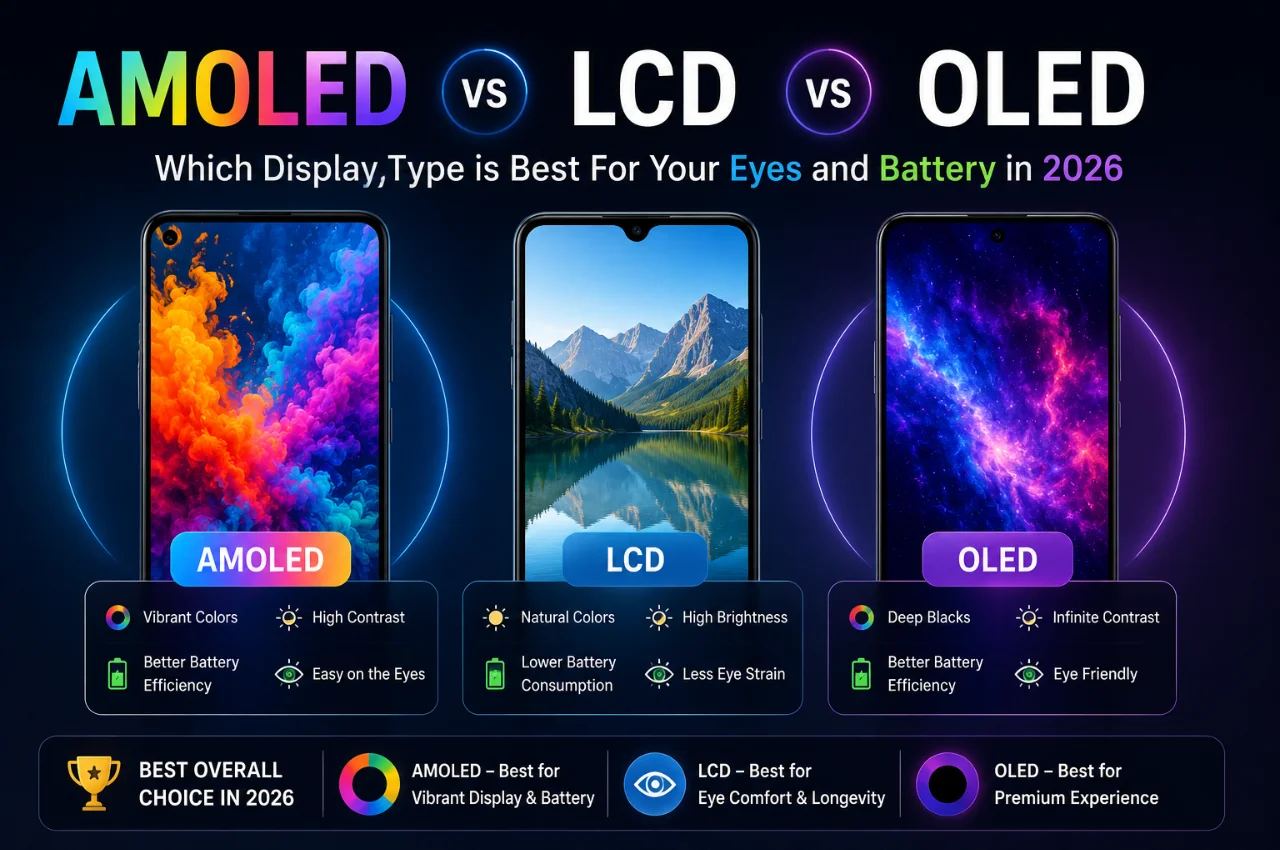
You are about to buy a new phone. You open the specifications page and see the display listed as “Super AMOLED” or “IPS LCD” or “OLED.” You know it matters. But you are not sure what the difference actually is, which one is better for your eyes, which saves more battery, and whether paying extra for AMOLED is actually worth it.
This guide answers all of those questions clearly and completely — in plain language, with real examples, and with a final verdict that tells you exactly which display type is right for your specific situation.
Why Your Phone’s Display Technology Matters More Than You Think
The display is the component you interact with every single time you use your phone. Every photo you view, every video you watch, every message you read, every app you use — all of it passes through your screen. Yet most phone buyers pay far more attention to camera megapixels and processor names than they do to understanding what type of screen they are buying.
Display technology affects five things that matter greatly in daily life: how vivid and accurate colors look, how deep and rich blacks appear, how your battery performs throughout the day, how comfortable the screen is on your eyes during long use, and how well you can see the screen in bright outdoor sunlight.
Understanding AMOLED, LCD, and OLED means you can evaluate any phone’s display meaningfully — not just by price tier.
First — How Each Display Technology Works
Before comparing them, you need to understand the fundamental difference in how each technology produces the image you see.
How LCD Works
LCD stands for Liquid Crystal Display. An LCD screen works by shining a white backlight from behind the screen, then using a layer of liquid crystals to selectively block or allow that light to pass through color filters — red, green, and blue — to create every color you see.
The critical thing to understand about LCD is this: the backlight is always on. Even when your screen is displaying a completely black image, the backlight behind it is still shining at full power. The liquid crystals block most of the light to create black, but they cannot block it perfectly — which means LCD blacks are never truly black. They appear as a very dark grey, which reduces the contrast and visual depth of the image.
IPS LCD — In-Plane Switching LCD — is the most common and best version of LCD used in smartphones. It improves on basic LCD with better color accuracy, wider viewing angles, and more natural-looking colors. Most budget and mid-range phones that use LCD will specify IPS LCD or simply IPS.
How OLED Works
OLED stands for Organic Light-Emitting Diode. Unlike LCD, OLED screens have no backlight at all. Instead, each individual pixel in an OLED screen produces its own light independently. When a pixel needs to be black, it simply switches off completely — consuming zero power and producing zero light. When a pixel needs to be bright red, it illuminates with exactly that color.
This fundamental difference — self-emitting pixels versus a backlight — is the source of every key advantage that OLED has over LCD.
How AMOLED Works
AMOLED stands for Active-Matrix Organic Light-Emitting Diode. AMOLED is essentially OLED technology with an additional active matrix control system built in. The active matrix is a grid of thin-film transistors that allows the display controller to address and control each individual pixel faster and more precisely than basic OLED.
In practical terms, AMOLED is the smartphone-optimized version of OLED. It is thinner, more power-efficient, supports higher refresh rates, and is designed specifically for the demands of mobile devices. When phone manufacturers — particularly Samsung — say their phone has an OLED screen, they almost always mean AMOLED specifically.
Samsung’s Super AMOLED takes this further by integrating the touch sensor layer directly into the display rather than adding it as a separate layer on top. This makes Super AMOLED screens thinner, reduces reflections, and improves brightness. Dynamic AMOLED, used in Samsung’s flagship Galaxy S series, adds HDR10+ support and advanced color management on top of Super AMOLED.
The simple hierarchy to remember is: AMOLED is a type of OLED. All AMOLED screens are OLED screens. Not all OLED screens are AMOLED — OLED is the broader category, AMOLED is the mobile-optimized variant.
Color and Visual Quality — How They Compare
This is the most immediately obvious difference when you hold two phones side by side.
AMOLED and OLED screens produce colors that are noticeably more vivid, saturated, and punchy than LCD screens. Reds look deeper, blues look richer, and the contrast between bright and dark elements in an image is far more dramatic. The reason is simple — when some pixels are fully off (black) and adjacent pixels are fully illuminated (bright color), the contrast between them is essentially infinite. This is called infinite contrast ratio, and it is something LCD physically cannot achieve.
LCD screens produce colors that are more natural and accurate. The colors are less saturated than AMOLED but closer to how real-world scenes actually look. Many photographers and designers actually prefer IPS LCD for color-accurate work because the colors are not artificially boosted.
The practical reality for most users is that AMOLED displays simply look more impressive. Photos pop more. Videos are more cinematic. The visual experience is richer and more engaging. This is why flagship phones from every major brand — Samsung, OnePlus, Google Pixel, Apple iPhone — have all moved to OLED or AMOLED displays.
One important note: AMOLED screens can be configured in settings to tone down the color saturation for a more natural look. Many phones offer a Natural or sRGB color mode that makes AMOLED look more like a calibrated LCD. The reverse is not possible — LCD cannot be made to look like AMOLED.
Black Levels and Contrast — Where AMOLED Wins Completely
This is the single most significant visual difference between AMOLED and LCD.
On an AMOLED screen, black is truly black. The pixels are switched off. There is no light whatsoever. This creates an infinite contrast ratio — the difference between the darkest dark and the brightest bright is as large as it can possibly be.
On an LCD screen, black is dark grey. The backlight behind the screen is always on, and even though the liquid crystals block most of it, some light bleeds through. In a dark room, you can see this clearly — an LCD screen displaying a black image looks noticeably greyish, while an AMOLED screen displaying the same image appears as pure darkness.
This difference is most visible when watching movies with dark scenes, using dark mode, or viewing any content with significant dark areas. The depth and richness of an AMOLED screen’s dark scenes is dramatically superior to what LCD can produce.
Battery Life — The Most Important Practical Difference
This is where AMOLED has a significant real-world advantage — but with an important condition that most people do not know about.
AMOLED screens save battery compared to LCD specifically when displaying dark content. Because black pixels are switched off and consume zero power, an AMOLED screen showing a mostly dark image is using a fraction of the power that an LCD would use for the same image — because the LCD’s backlight would still be running at full power.
When you use dark mode on an AMOLED phone, you are genuinely saving battery — studies show 20 to 30 percent reduction in screen power consumption in dark mode on AMOLED screens. This is why enabling dark mode on a phone with an AMOLED screen is one of the most effective battery-saving tips.
However — and this is the important condition — when displaying bright content, AMOLED screens can actually consume more power than LCD. A screen full of bright white pixels on an AMOLED display requires every pixel to illuminate brightly, which consumes significant power. An LCD backlight consuming consistent power to display a bright white screen can sometimes use less power than an AMOLED screen illuminating every pixel at maximum brightness.
The practical conclusion: AMOLED is better for battery life in typical real-world use, especially with dark mode, dark wallpapers, and content with significant dark areas. For users who keep their screens at maximum brightness displaying white-dominated content all day, the battery advantage of AMOLED over LCD narrows.
LCD has one advantage here: its battery consumption is completely predictable and consistent regardless of what is being displayed. Bright or dark, the backlight runs at the same level. This consistency means LCD battery drain is more uniform and easier to predict.
Eye Comfort — The Truth About Which is Better
This is one of the most searched and most misunderstood aspects of display technology. People often worry about whether AMOLED or LCD is better for their eyes, and the answer is more nuanced than most sources suggest.
The main concern with AMOLED screens is PWM flickering. Most AMOLED displays control their brightness through a technique called Pulse Width Modulation — rapidly switching the pixels on and off many times per second to create the perception of lower brightness. At low brightness settings, this flickering can cause eye strain, headaches, or fatigue in people who are sensitive to it. This is a genuine concern for AMOLED screens, and some users find that prolonged use at low brightness causes discomfort.
The main concern with LCD screens is consistent backlight. LCD screens use a constant backlight, which means no PWM flickering. This makes LCD screens generally more comfortable for extended reading and use, particularly in low-light conditions.
At high brightness levels, AMOLED screens reduce PWM frequency significantly and the effect is much less pronounced. Modern flagship AMOLED screens — Samsung Dynamic AMOLED 2X and similar — have introduced high-frequency PWM or DC dimming options that significantly reduce the flicker problem. However, budget and mid-range AMOLED screens may still use lower-frequency PWM that some users find problematic.
Blue light is a concern for both display types. Blue light from any screen can affect sleep quality and cause eye strain with prolonged use. Both AMOLED and LCD screens offer blue light reduction modes — Night Mode, Eye Comfort Shield, or similar features — that reduce blue light output. Using these modes in the evening is recommended regardless of display type.
For users with no particular eye sensitivity, either display type is comfortable for normal use with appropriate brightness settings and breaks. For users who frequently experience eye strain, headaches, or fatigue from screen use — particularly at low brightness in dark environments — LCD may be more comfortable.
Outdoor Visibility and Brightness — Where LCD Has an Advantage
In direct outdoor sunlight, traditional LCD screens have historically been easier to read than AMOLED screens. The reason is that LCD backlights can achieve very high uniform brightness that competes effectively with sunlight, while AMOLED screens have historically struggled with outdoor visibility.
However, in 2026, the brightness gap has largely closed. Modern flagship AMOLED and OLED screens now achieve peak brightness of 1,500 to 3,000 nits in certain conditions — levels that are more than adequate for outdoor use in most situations. The Samsung Galaxy S25 Ultra, iPhone 17 series, and similar flagships all have OLED screens with excellent outdoor visibility.
Budget AMOLED screens in the 800 to 1,000 nit range can still struggle in direct sunlight compared to bright LCD screens, which tend to maintain more consistent brightness across the panel. If outdoor visibility is your primary concern and you are considering a mid-range phone, check the peak brightness specification carefully — a mid-range AMOLED at 800 nits may be no better outdoors than a good IPS LCD.
Burn-In — The One Significant Long-Term Concern With AMOLED
Screen burn-in is a phenomenon where a faint ghost image of something that was displayed for a very long time becomes permanently visible even when the screen is showing other content. This happens because the organic materials in OLED and AMOLED pixels degrade over time with use, and pixels that display the same content constantly degrade faster than those that change regularly.
On LCD screens, burn-in does not occur. The backlight and liquid crystals do not degrade in this way.
On AMOLED screens, burn-in is possible — but the practical risk for average consumers in 2026 is significantly lower than it was in earlier OLED generations. Modern AMOLED phones include multiple burn-in mitigation features: pixel shift moves the image slightly at regular intervals, always-on display animations constantly move to avoid static content, navigation bar icons shift position to prevent fixed-position elements from burning in permanently, and screen savers activate during idle periods.
Most average users who change their phone every two to three years will never experience problematic burn-in. The risk increases significantly for users who display static content for very long periods — taxi drivers with navigation always on the same spot, or people using their phone as a permanent status display.
If you plan to use a phone for five or more years continuously with lots of static content — navigation, always-on information displays — LCD or a very high-quality flagship AMOLED with robust burn-in protection is the safer choice.
Price — What Display Type Tells You About a Phone’s Price Range
Display technology is one of the clearest indicators of where a phone sits in the market.
In the budget segment — phones under approximately 10,000 to 15,000 rupees — LCD screens are still common. Manufacturing AMOLED at very low cost while maintaining quality is difficult, and LCD remains cost-effective for this segment.
In the mid-range segment — approximately 15,000 to 35,000 rupees — AMOLED has become standard. Even phones at 15,000 rupees now frequently feature AMOLED screens, which is a significant improvement in value compared to just a few years ago.
In the flagship segment — 35,000 rupees and above — AMOLED or premium OLED is essentially universal. No flagship phone in 2026 ships with an LCD screen as its primary display. The visual and technical capabilities of premium AMOLED make it the only choice at this level.
Finding AMOLED in a budget phone is generally a positive sign — the manufacturer has allocated budget toward the display, which is usually a good value decision. However, not all AMOLED screens are equal — a cheap AMOLED screen may have lower brightness, worse color accuracy, and less effective burn-in protection than a premium AMOLED.
The Complete Comparison Table
How displays are made: AMOLED — self-emitting pixels with active matrix control. LCD — backlight with liquid crystal layer. OLED — self-emitting pixels, the base technology.
Black levels: AMOLED — true black, pixels switch off. LCD — dark grey, backlight always on. OLED — true black, same as AMOLED.
Contrast ratio: AMOLED — effectively infinite. LCD — typically 1,000:1 to 3,000:1. OLED — effectively infinite.
Color vibrancy: AMOLED — vivid and saturated. LCD — natural and accurate. OLED — vivid, same as AMOLED.
Battery with dark content: AMOLED — excellent, pixels off in black areas. LCD — consistent regardless of content. OLED — excellent, same as AMOLED.
Battery with bright content: AMOLED — similar to or slightly worse than LCD. LCD — consistent. OLED — similar to AMOLED.
Eye comfort: AMOLED — may cause PWM flicker at low brightness. LCD — generally flicker-free and consistent. OLED — same concern as AMOLED.
Outdoor visibility: AMOLED — excellent on flagships, variable on budget. LCD — generally consistent across price ranges. OLED — same as AMOLED.
Burn-in risk: AMOLED — possible with prolonged static content. LCD — none. OLED — same as AMOLED.
Thinness: AMOLED — very thin, no backlight layer needed. LCD — thicker due to backlight. OLED — same as AMOLED.
Dark mode benefit: AMOLED — significant battery saving. LCD — minimal battery impact. OLED — same as AMOLED.
Price: AMOLED — mid-range to flagship. LCD — budget to mid-range. OLED — same as AMOLED.
Which Display Type Should You Choose?
The right choice depends entirely on how you use your phone and what matters most to you.
Choose AMOLED or OLED if visual quality is your priority. If you watch a lot of videos, stream movies, play games, or simply appreciate a stunning-looking screen — AMOLED is the clear winner. The deeper blacks, richer colors, and higher contrast create a dramatically more impressive visual experience than any LCD screen.
Choose AMOLED or OLED if you regularly use dark mode. Dark mode on an AMOLED screen provides meaningful, genuine battery savings. If you already use dark mode or are willing to switch to it, AMOLED combined with dark mode is more battery-efficient than LCD.
Choose LCD if you are very price-sensitive and shopping in the budget segment. A quality IPS LCD screen at 10,000 to 12,000 rupees can be an excellent display for everyday use. If the choice is between a budget AMOLED and a good IPS LCD at similar prices, the LCD may actually provide a better overall experience due to more consistent brightness and no burn-in risk.
Choose LCD if you are highly sensitive to eye strain or flickering at low brightness. If you regularly experience headaches or eye fatigue from screen use, particularly at low brightness in dark environments, IPS LCD’s flicker-free backlight may be more comfortable for you.
Choose LCD if you primarily use your phone outdoors in bright sunlight and are buying in the mid-range or lower segment. Good IPS LCD screens maintain brightness well in sunlight. Mid-range AMOLED screens may struggle more in direct sunlight than a good IPS LCD panel.
For most people in 2026, AMOLED is the better choice wherever the budget allows — roughly 15,000 rupees and above. The visual quality, dark mode battery savings, and premium experience make it the right display for the majority of smartphone users.
Key Takeaway
AMOLED and OLED are fundamentally superior display technologies to LCD for most users most of the time — better blacks, better contrast, better visual quality, and better battery life with dark content. LCD remains a valid and reliable choice for budget phones and users with specific needs around eye comfort or consistent brightness.
The most important practical advice is this: do not simply read the display type on a spec sheet — look up the peak brightness in nits, check whether the refresh rate is adaptive or fixed, and if possible view the phone in person before buying. Two AMOLED screens at different price points can look and perform very differently from each other.
Your display is your window to everything on your phone. Understanding what you are looking at — and through — is worth the few minutes it takes.
Frequently Asked Questions
Is AMOLED better than LCD for watching videos?
Yes — for most users and most content. AMOLED’s true blacks, infinite contrast ratio, and vivid colors make cinematic content dramatically more immersive than LCD. Dark scenes in movies look genuinely dark rather than greyish. Colors are richer and more saturated. The visual difference is significant and immediately obvious when comparing the two side by side.
Does AMOLED damage your eyes more than LCD?
Not inherently — but it depends on how you use it. AMOLED screens that use PWM dimming can cause eye strain for sensitive users at low brightness settings. LCD screens with constant backlighting are generally more comfortable at low brightness. At normal to high brightness levels and with proper screen time habits, neither display type causes eye damage. Enable blue light reduction modes in the evening regardless of which display type you have.
Is Super AMOLED better than regular AMOLED?
Yes. Super AMOLED integrates the touch layer directly into the display panel rather than adding it as a separate layer. This makes the screen thinner, reduces reflections, improves outdoor visibility, and in some cases improves battery efficiency. Dynamic AMOLED adds HDR support and advanced color profiles on top of Super AMOLED. These are refinements of the same fundamental technology.
Does dark mode actually save battery on AMOLED screens?
Yes — significantly, but only on AMOLED and OLED screens. Because black pixels are switched completely off on AMOLED displays, dark mode can reduce screen power consumption by 20 to 30 percent in real-world use. On LCD screens, dark mode saves minimal battery because the backlight runs at the same power regardless of what color is displayed.
Why do budget phones still use LCD in 2026?
AMOLED screens cost more to manufacture than LCD screens. In the budget segment under approximately 12,000 to 15,000 rupees, using LCD allows manufacturers to allocate more of their budget to other components like the processor, camera, or battery. A good IPS LCD at this price point often provides a better overall experience than a compromised low-budget AMOLED panel.
What is the difference between OLED and AMOLED?
OLED is the base display technology — self-emitting organic pixels with no backlight. AMOLED is OLED with an active matrix transistor system added to control pixels faster and more precisely. All AMOLED screens are OLED screens. AMOLED is the smartphone-optimized version of OLED developed specifically for mobile devices. In everyday use, the terms are often used interchangeably because virtually all smartphone OLED screens use the active matrix variant.
Final Thoughts
AMOLED versus LCD versus OLED is not a debate with a simple universal winner — it is a question of priorities, budget, and use case. For most people buying a mid-range or flagship phone in 2026, AMOLED is the right choice and is increasingly available even at competitive price points.
For budget buyers, LCD remains a solid and practical option. For users with specific eye comfort concerns or outdoor visibility needs, the choice deserves more careful consideration.
The next time you read a phone’s spec sheet, you will understand exactly what AMOLED 120Hz, Super AMOLED, or IPS LCD means — and you will be able to make a genuinely informed choice rather than just trusting that the higher-priced option has the better screen.