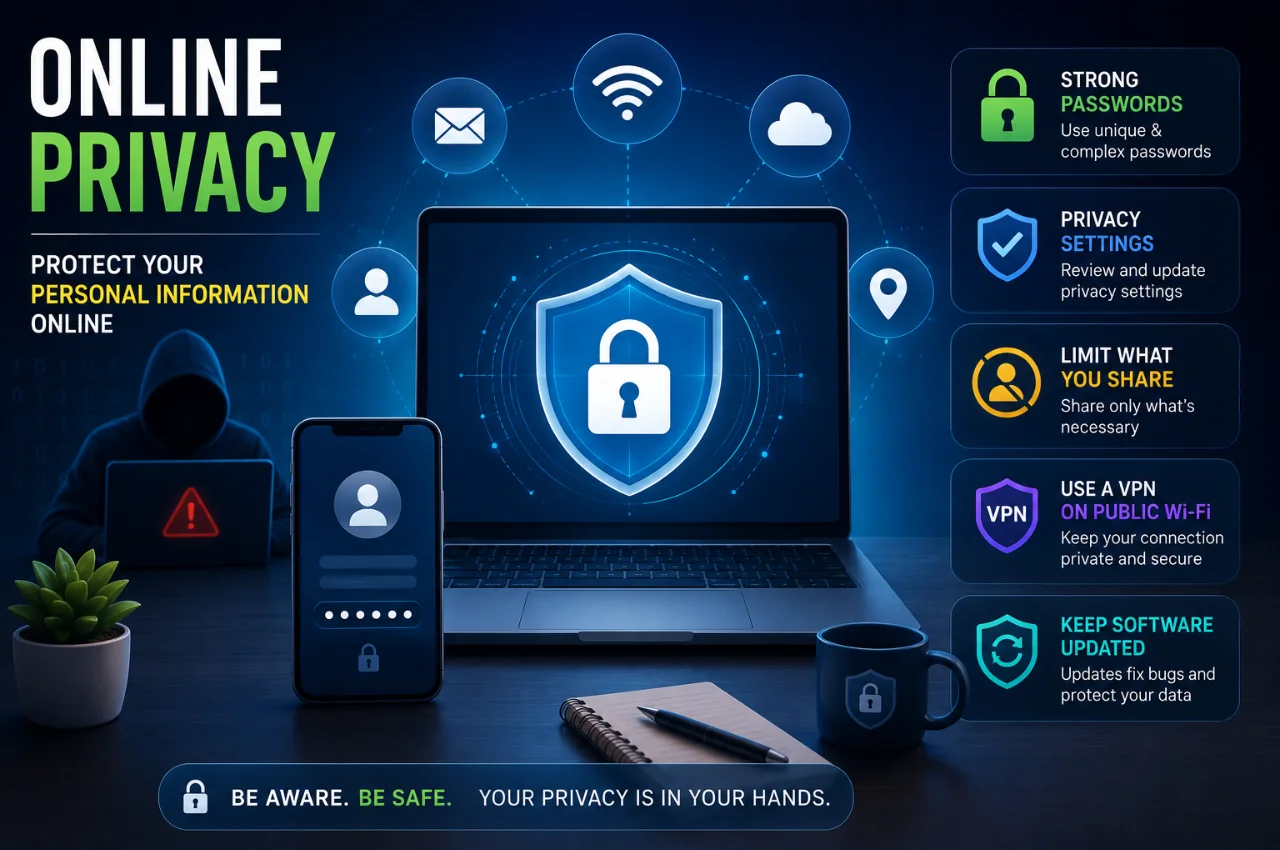
Every time you open an app, visit a website, make a UPI payment, or search for something on Google, information about you is being collected. Your name, your location, your spending habits, your health searches, your political interests, your daily routine — all of it is quietly being recorded, stored, and in many cases sold.
Most people have a vague sense that this is happening. Far fewer understand exactly what is being collected, who is collecting it, what it is being used for, and — most importantly — what they can actually do about it.
Online privacy is not a topic reserved for tech experts or people with something to hide. It is relevant to every Indian who uses a smartphone, does digital banking, shops online, or communicates through messaging apps. This guide explains what online privacy actually means, what the real threats look like in 2026, and gives you practical steps you can start taking today.
What is Online Privacy?
Online privacy is your ability to control what personal information about you is collected, stored, shared, and used when you are on the internet.
It is not about secrecy in the negative sense. It is about autonomy — the same principle that makes you close the bathroom door even when you have nothing to hide. Privacy is about deciding for yourself what you share, with whom, and under what circumstances.
When you go online, information about you is generated constantly. Some of it you create deliberately — posting on Instagram, filling out a form, writing a review. A great deal more is generated automatically — which websites you visited, how long you stayed, what you clicked, where you were when you clicked it, what device you used, what your battery level was, and hundreds of other data points that most people have no idea are being recorded.
The collection of this data has created what researchers call the surveillance economy — a system where free digital services are paid for not with money but with data. When a service is free, the business model is typically built on monetizing information about the people using it.
Understanding online privacy means understanding this exchange and making informed choices about it — rather than accepting every default setting and clicking Agree on every terms of service without reading it.
Why Online Privacy Matters More in 2026
Privacy has always mattered. But several developments in 2026 make it more urgent than ever for ordinary Indian users.
India’s Digital Personal Data Protection Act, passed in 2023 and progressively implemented through 2024 and 2025, gives Indian citizens formal legal rights over their personal data for the first time. You have the right to know what data companies hold about you, to correct it, and in some cases to have it deleted. Understanding your privacy rights is no longer just a good practice — it is a legally recognized entitlement.
India recorded over 1.4 million cybercrime incidents in 2025, with financial fraud being the largest category. Many of these crimes begin with personal information that was either stolen in data breaches or willingly provided to apps and services without understanding the consequences. The connection between online privacy habits and financial safety is direct and real.
AI-powered data analysis has dramatically increased what can be inferred from even basic personal information. A few years ago, knowing your name and phone number gave advertisers limited information. In 2026, combining your name, location, browsing patterns, and purchase history allows companies and criminals to make surprisingly accurate predictions about your financial situation, health status, political views, and personal vulnerabilities. The value — and the risk — of personal data has grown significantly.
What Personal Information Is Being Collected About You
Most people dramatically underestimate the scope of data being collected. Here is a realistic picture.
Your browsing history — every website you visit, every article you read, every product page you look at — is tracked by your browser, your internet service provider, and the tracking scripts embedded in most websites. This data is used to build an advertising profile and in some countries can be accessed by law enforcement.
Your location — your phone reports its location continuously to apps that have location permission, to cell towers through your carrier, and through Wi-Fi positioning even when GPS is off. Some apps track location in the background whether you are using them or not.
Your financial behavior — every UPI transaction, every credit or debit card purchase, every online shopping order creates a record that reveals your spending habits, your financial situation, and your lifestyle.
Your health and personal interests — your searches about symptoms, medications, relationship problems, mental health, and personal struggles are recorded and used to infer sensitive information about you that you may never have consciously shared.
Your communications metadata — while the content of WhatsApp messages is encrypted and not readable by WhatsApp, the metadata is not. Who you message, how often, at what times, and for how long — all of this is collected and can reveal a great deal about your relationships and habits.
Your app usage patterns — every app on your phone that has been granted permissions is collecting data about how you use it, when you use it, and often much more than its core function requires.
The Four Biggest Threats to Online Privacy
Understanding what threatens your privacy helps you prioritize where to focus your protective efforts.
Data breaches are incidents where criminals gain unauthorized access to a company’s database and steal the personal information of its users. When an e-commerce site, a health app, or a financial platform you used is hacked, your name, email, phone number, and potentially your passwords and payment details can end up for sale on criminal marketplaces. This happens regardless of how careful you personally are — the vulnerability is in the company holding your data, not in your behaviour. India has experienced several significant breaches in recent years affecting hundreds of millions of users.
Surveillance by companies — the legal, ongoing collection of your data by the apps and services you use — is arguably the largest-scale privacy threat because it operates continuously and openly. Google, Meta, and thousands of smaller companies build extraordinarily detailed profiles of individuals based on behaviour across their platforms and partner websites. This data is used for targeted advertising but is also available to governments under legal process and is at risk in any breach.
Surveillance by scammers — phishing, vishing, smishing, and social engineering attacks that attempt to trick you into voluntarily revealing passwords, OTPs, Aadhaar details, or financial information. Unlike technical hacking, these attacks exploit human psychology. India’s UPI ecosystem in particular is heavily targeted because real-time payment fraud is immediately profitable.
Government and employer surveillance — your internet activity may be monitored by your employer if you use a work device or network, and by government agencies under various legal frameworks. India’s Telecom Act and IT Act both provide legal mechanisms for interception and monitoring. Understanding what activity is potentially visible in professional and public contexts is part of digital privacy literacy.
The Privacy Myths That Put People at Risk
Several widely held beliefs about online privacy are simply wrong, and acting on them gives false confidence.
Incognito mode does not make you private.
It prevents your browser from saving your local browsing history, cookies, and form data on your device. It does not hide your activity from your internet service provider, from the websites you visit, from your employer’s network, or from tracking scripts on those websites. Incognito mode is useful for preventing another person who uses your device from seeing your browsing history. It provides virtually no protection against external surveillance.
A VPN does not make you completely anonymous.
A VPN hides your real IP address from the websites you visit and encrypts your traffic from your internet service provider. This is genuinely useful. But a VPN does not hide your behaviour from the VPN provider itself, does not prevent websites from tracking you through cookies and browser fingerprinting, and does not protect you from data breaches at the services you log into. VPNs are one layer of protection — not a complete privacy solution.
Deleting an app does not delete your data.
When you uninstall an app, the app disappears from your phone but the data the company collected about you during your usage typically remains on their servers. Deletion from a company’s systems requires a specific data deletion request under India’s DPDP Act or through the company’s own data deletion process.
Private information shared with one company stays with that company.
This is almost never true. Most apps share data with third-party advertising networks, analytics providers, and data brokers as a standard business practice. The privacy policy you agreed to almost certainly permits this, buried in language most users never read.
Simple Practical Steps to Protect Your Online Privacy
This is the most important section of this guide. These steps are specific, actionable, and ordered by impact — start from the top and work your way down.
Step 1 — Review Your App Permissions
Open Settings on your Android phone, go to Privacy, then Permission Manager. Look at each permission category — Location, Camera, Microphone, Contacts, SMS. For every app that has access to a sensitive permission, ask whether that access is genuinely necessary for what the app does. A flashlight app has no reason to access your location. A recipe app has no reason to access your contacts. A casual game has no reason to access your microphone.
Change any permission that is set to Always to While Using the App, and revoke entirely any permission that serves no obvious purpose. On iPhone, go to Settings, then Privacy and Security, and do the same review.
This review takes about fifteen minutes and eliminates a significant amount of background data collection immediately.
Step 2 — Use Strong Unique Passwords With a Password Manager
A password that is used on multiple sites creates a catastrophic vulnerability — one data breach at any site compromises every account using that password. The solution is a unique password for every account. The practical challenge is remembering dozens of complex passwords.
A password manager solves this completely. It generates strong, unique passwords for every site, remembers all of them, and fills them in automatically when you log in. Bitwarden is free, open-source, and widely trusted. 1Password and Dashlane are excellent paid options.
The time investment to set up a password manager is one or two hours. The protection it provides lasts indefinitely.
Step 3 — Enable Two-Factor Authentication on Important Accounts
Two-factor authentication means that logging into an account requires both your password and a second verification — typically a code sent to your phone or generated by an authenticator app. Even if your password is stolen in a breach, no one can access your account without the second factor.
Enable this immediately on your primary email account, all banking and financial apps, and any social media account you care about. Use an authenticator app like Google Authenticator or Microsoft Authenticator rather than SMS codes where possible — authenticator apps are more secure because they do not rely on your phone number.
Step 4 — Be Selective About What You Share Online
The most private data is data that was never collected in the first place. Every form field you leave blank, every permission you decline, every optional registration you skip — all of these reduce your data footprint.
Ask yourself before providing personal information: is this genuinely required, or is it optional? Do I trust this company with this data? What happens if this company is breached? These questions change your behaviour in small ways that compound significantly over time.
Be particularly careful about your date of birth, home address, and phone number. These three data points together are sufficient to enable significant identity fraud in many contexts. Provide them only to services that genuinely require them.
Step 5 — Keep Your Software Updated
Software updates include security patches that close vulnerabilities — known weaknesses in code that attackers can exploit to access your device or data. Running outdated software on your phone, computer, or apps is equivalent to leaving a known unlocked entry point in your home.
Enable automatic updates on your Android phone under Settings, then Software Update, then Auto Download and Install. Keep your apps updated through the Play Store. This is one of the easiest and most effective privacy and security measures available.
Step 6 — Use a Privacy-Focused Browser
Google Chrome is the most used browser in India, but it is also one of the most privacy-invasive. It is built by a company whose primary revenue source is advertising, which creates an inherent tension with user privacy.
Brave Browser blocks third-party tracking scripts, cookies, and ads by default without any configuration required. It is based on Chrome’s engine so websites work identically, but the tracking is blocked automatically. Firefox with a privacy-focused configuration is another strong option.
Switching your default browser from Chrome to Brave takes five minutes and immediately reduces a significant amount of cross-site tracking.
Step 7 — Manage Your Social Media Privacy Settings
Open the privacy settings on every social media platform you use — Instagram, Facebook, LinkedIn, Twitter. Set your profile to private where appropriate. Review what information is visible to strangers, to friends, and to the platforms themselves.
Remove your phone number from public view on every platform that allows it. Set your birthday to not publicly visible, or change the year to avoid your actual birth year being exposed. Review which third-party apps have been granted access to your social media accounts and remove any you no longer use.
Step 8 — Be Careful on Public Wi-Fi
Public Wi-Fi in cafes, airports, hotels, and malls is convenient and often unencrypted. Anyone on the same network with the right tools can potentially intercept unencrypted traffic. If you use public Wi-Fi regularly, a VPN encrypts your connection and prevents this interception.
When public Wi-Fi is not avoidable and you do not have a VPN, avoid accessing banking apps, entering passwords, or accessing sensitive information. Use your mobile data connection for anything that involves sensitive accounts.
Step 9 — Check If Your Data Has Been Breached
Go to haveibeenpwned.com and enter your email address. This free, trustworthy service maintained by security researcher Troy Hunt checks your email against a database of known data breaches. If your email appears, it tells you which breach exposed it and what type of data was included.
If you discover your email was part of a breach, change the password for that account immediately — and change it for any other account where you used the same password.
Step 10 — Know Your Rights Under Indian Law
India’s Digital Personal Data Protection Act gives you specific rights. You can request that a company tell you what personal data they hold about you. You can request correction of inaccurate data. In certain circumstances you can request deletion. You can withdraw consent for data processing.
To exercise these rights, contact the company directly through their privacy or data protection team. Under the DPDP Act, data fiduciaries — companies that hold your data — are required to have mechanisms for handling these requests. This is a relatively new legal framework and its enforcement is still developing, but the rights are legally established.
Privacy Settings Worth Checking on Your Google Account
Since Google services are deeply embedded in daily digital life for most Indian users, your Google account privacy settings deserve specific attention.
Go to myaccount.google.com. Under Data and Privacy, you can see and control what Google is tracking about you. Web and App Activity records your Google searches, websites you visited using Google products, and app usage. Location History tracks everywhere you go if you have an Android phone. YouTube History records every video you have watched.
You can pause any of these, delete the data already collected, and set automatic deletion schedules so data older than a certain period is removed automatically. Visit myaccount.google.com/data-and-privacy and spend fifteen minutes reviewing these settings. The amount of data Google holds about most users is genuinely surprising.
Privacy for Different Categories of Sensitive Information
Not all personal information carries the same risk. Some categories deserve particular attention.
Financial information — your bank account numbers, UPI credentials, credit card details, and income information are the highest-value targets for criminals. Never share financial credentials over the phone or through messages. Enable transaction alerts so any unauthorized activity is immediately visible. Use separate email addresses for financial accounts and general use where possible.
Health information — searches about symptoms, medical conditions, and medications reveal highly sensitive information. Be aware that health-related searches on Google are stored in your account activity unless you have paused it. Consider using a private search engine like DuckDuckGo for health-related queries.
Location information — your real-time and historical location reveals your home, your workplace, your religious attendance, your political activities, your medical visits, and your daily routine. Be selective about which apps have location access and set them to While Using rather than Always wherever possible.
Identity documents — never photograph and share your Aadhaar card, PAN card, passport, or driving licence through messaging apps without understanding where that image will be stored. Once a document image is on an app’s server, it may remain there indefinitely and may be accessible in a breach.
Key Takeaway
Online privacy in 2026 is not about disappearing from the internet. It is about making conscious, informed choices about what you share, with whom, under what circumstances, and for what purpose — rather than accepting every default and clicking through every permission request without thinking.
The steps in this guide address the most significant privacy risks that ordinary Indian internet users face. Reviewing app permissions, using strong unique passwords, enabling two-factor authentication, and keeping software updated — these four steps alone dramatically reduce your exposure to the most common privacy threats.
Your personal information has real value — to advertisers who target you, to criminals who can exploit it, and to you as a citizen with a constitutional right to privacy that India’s Supreme Court recognized in 2017. Protecting it is both a practical and a principled choice.
Frequently Asked Questions
Is online privacy possible in 2026?
Complete anonymity online is not realistic for most people without extreme measures that would make normal internet use impossible. But meaningful privacy — controlling the most sensitive information, reducing unnecessary data exposure, protecting financial and identity data, and understanding what is being collected about you — is absolutely achievable through the practical steps in this guide.
Does using private browsing protect my privacy?
Incognito or private browsing mode only prevents your local browser from saving your history, cookies, and form data. It does not hide your activity from your internet service provider, from websites you visit, from tracking scripts on those websites, or from your employer’s network. It is useful for preventing other users on your device from seeing your activity. It provides minimal privacy protection beyond that.
Is WhatsApp safe for private conversations?
WhatsApp uses end-to-end encryption for message content, which means WhatsApp and Meta cannot read your messages. However, WhatsApp collects significant metadata — who you message, how often, when, and for how long — which can reveal a great deal about your relationships and habits. WhatsApp also shares this metadata with Meta for business purposes. For highly sensitive conversations, Signal offers stronger privacy with fewer metadata collection practices.
Does India have a privacy law?
Yes. India’s Digital Personal Data Protection Act was passed in 2023 and is being progressively implemented. It gives Indian citizens the right to know what personal data companies hold about them, the right to correct inaccurate data, and the right to request deletion in certain circumstances. Privacy was also recognized as a fundamental right by India’s Supreme Court in 2017 under Article 21 of the Constitution.
Can I find out what data Google has about me?
Yes. Go to myaccount.google.com and navigate to Data and Privacy. You can see your search history, location history, YouTube history, and all other data Google has collected. You can download a copy of all your Google data through the Google Takeout service, and you can delete or pause the collection of any data category.
What should I do if my personal data is stolen in a breach?
Change the password for the affected account immediately. Change it for any other account where you used the same password. Enable two-factor authentication on all important accounts. Monitor your bank and credit card statements for unauthorized transactions. If financial accounts are affected, contact your bank immediately. File a complaint at cybercrime.gov.in or call the National Cybercrime Helpline at 1930. You can also file a complaint under the DPDP Act with the Data Protection Board of India once that complaint mechanism is fully operational.
Final Thoughts
Online privacy is not a technical problem requiring technical solutions. It is a series of everyday choices — what permissions you grant, what information you share, what defaults you accept, what habits you maintain.
The companies collecting your data are extraordinarily sophisticated. The tools they use are invisible and automatic. The data they accumulate is more detailed and more revealing than most people imagine. Against this backdrop, the steps in this guide are genuinely meaningful — not because they make you invisible, but because they make you significantly harder to exploit and significantly more in control of your own information.
Privacy protection is not a one-time task. It is an ongoing practice — like physical fitness or financial management. Start somewhere reasonable, build the habits gradually, and the cumulative effect over months and years is substantial.
Your data is yours. Act accordingly.