You bought your router a few years ago. It works. Your Netflix streams without buffering, your video calls are generally fine, and your phone connects without issues. Then you start seeing headlines about Wi-Fi 7 and articles claiming you need to upgrade immediately.
But do you actually need to? What is Wi-Fi 7, how is it different from Wi-Fi 6, and — most importantly — will upgrading your router actually make a noticeable difference in your daily life?
This guide answers all of those questions honestly and completely, without the marketing hype that surrounds every new Wi-Fi standard launch. By the end, you will know exactly what each standard does, what the real-world differences are, which devices support what, and whether your situation actually calls for an upgrade in 2026.
First — What Does the Wi-Fi Number Actually Mean?
Before comparing Wi-Fi 6 and Wi-Fi 7, it helps to understand what these numbers represent and where they come from.
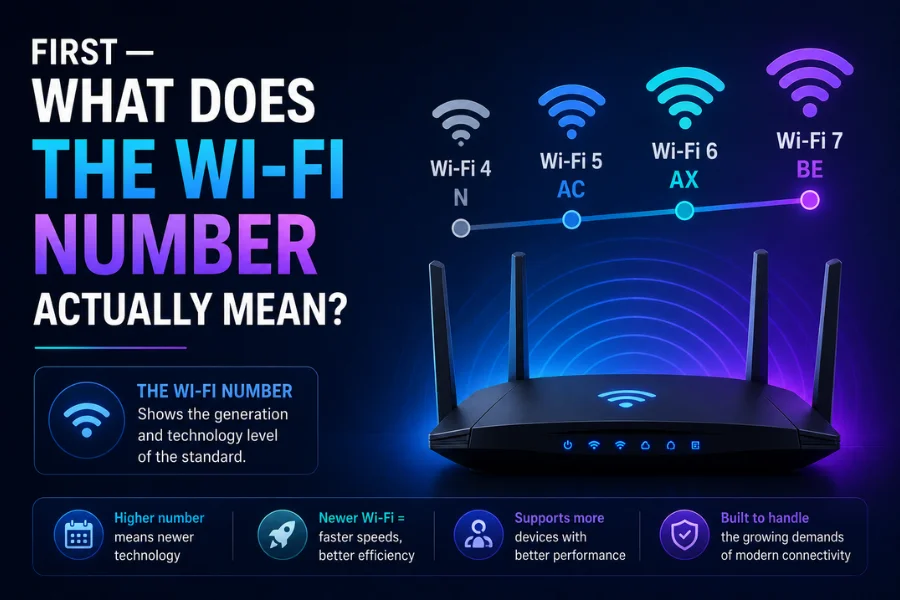
Wi-Fi standards are developed and certified by the Wi-Fi Alliance, an industry organization, based on technical specifications defined by IEEE — the Institute of Electrical and Electronics Engineers. Each generation of Wi-Fi gets a technical identifier — 802.11 followed by letters — and more recently, the Wi-Fi Alliance started giving them simple numerical names to make them easier for consumers to understand.
Wi-Fi 4 (802.11n) was the standard that brought wireless networking into widespread home use, introduced around 2009. Wi-Fi 5 (802.11ac) came in 2014 and brought faster speeds on the 5 GHz band. Wi-Fi 6 (802.11ax) arrived in 2019, focusing not just on speed but on handling many devices simultaneously more efficiently. Wi-Fi 6E is an extension of Wi-Fi 6 that added access to the 6 GHz frequency band. Wi-Fi 7 (802.11be) is the latest standard, introduced in consumer products from 2023 onward and now the headline standard for new flagship routers in 2026.
Each generation builds on the previous one — a newer router is always backward compatible with older devices. Your five-year-old phone will work on a Wi-Fi 7 router, just at its own maximum capability rather than at Wi-Fi 7 speeds.
What is Wi-Fi 6? — The Standard Most Indian Homes Have Right Now
Wi-Fi 6 was launched in 2019 and quickly became the standard for most modern routers sold globally. If you bought a router between 2019 and 2023, there is a good chance you have Wi-Fi 6 already — whether you knew it or not.
Wi-Fi 6 operates on two frequency bands — 2.4 GHz and 5 GHz — the same bands used by previous generations. What made Wi-Fi 6 a genuine step forward was not raw speed alone but a set of technologies that made it dramatically better at handling multiple devices simultaneously.
The most important of these technologies is OFDMA — Orthogonal Frequency Division Multiple Access. This is the innovation that makes Wi-Fi 6 fundamentally smarter than Wi-Fi 5. Think of earlier Wi-Fi like a single-lane road — one vehicle passes, then the next, then the next. OFDMA is like a multi-lane highway — multiple vehicles can travel simultaneously without waiting in queue. Your router can serve your laptop, your phone, your smart TV, and your IoT devices all at the same time rather than handling one request at a time.
Wi-Fi 6 also introduced MU-MIMO improvements — Multi-User Multiple Input Multiple Output — allowing the router to send and receive data to multiple devices simultaneously using multiple antennas. Wi-Fi 6 supports 8×8 MU-MIMO, meaning the router can communicate with up to eight devices simultaneously.
The theoretical maximum speed of Wi-Fi 6 is 9.6 Gbps — though in real-world home use, typical speeds are far lower and depend on your internet connection, the number of connected devices, and physical obstacles in your home.
Wi-Fi 6 was also a significant security improvement. It mandated WPA3 encryption as the standard security protocol — a meaningful upgrade over WPA2 that had been used since 2004 and had known vulnerabilities.
In 2026, Wi-Fi 6 remains an excellent standard for most Indian households. If your internet connection is below 500 Mbps, you have fewer than 15 to 20 connected devices, and you are not a serious gamer or content creator transferring very large files — Wi-Fi 6 delivers more than enough performance for everything you need.
What is Wi-Fi 6E? — The In-Between Standard Worth Knowing
Before explaining Wi-Fi 7, it is worth briefly covering Wi-Fi 6E — because many people encounter this term and are not sure how it differs from both Wi-Fi 6 and Wi-Fi 7.
Wi-Fi 6E is essentially Wi-Fi 6 with one significant addition: access to the 6 GHz frequency band. The existing 2.4 GHz and 5 GHz bands were increasingly congested — particularly in apartments and densely populated areas where dozens of neighboring Wi-Fi networks compete for the same limited frequency space. Opening the 6 GHz band was like adding an entirely new highway alongside the existing congested ones.
Wi-Fi 6E opened a new highway lane. WiFi 6E is still excellent in 2026 if you are under 1 Gbps internet and have fewer than 20 active devices.
The limitation of Wi-Fi 6E is that to benefit from the 6 GHz band, both your router and your device need to support it. Many budget and mid-range phones and laptops released through 2024 do not support 6 GHz — meaning connecting those devices to a Wi-Fi 6E router gives you Wi-Fi 6 performance, not the full 6E benefit.
What is Wi-Fi 7? — The Latest Standard Explained Simply
Wi-Fi 7 (802.11be) is the current cutting-edge Wi-Fi standard, available in flagship routers from ASUS, TP-Link, Netgear, and others since 2023 and now the dominant standard in new premium router launches in 2026.
Wi-Fi 7 supports theoretical speeds up to 46 Gbps — nearly five times faster than Wi-Fi 6. But before you get too excited, remember that theoretical speeds and actual performance are two very different things.
What actually matters about Wi-Fi 7 is not the headline speed number — it is three specific technical innovations that create genuine real-world improvements.
Multi-Link Operation — The Game-Changing Feature
Multi-Link Operation, or MLO, is the most important and genuinely innovative feature in Wi-Fi 7. All previous Wi-Fi standards — including Wi-Fi 6 and Wi-Fi 6E — connected your device to the router on a single frequency band at a time. Your phone would either be on 2.4 GHz or 5 GHz, never both simultaneously. If that band experienced congestion or interference, performance dropped until things cleared up.
Wi-Fi 7’s MLO changes this fundamentally. MLO allows devices to use multiple bands simultaneously — cutting latency by 50 to 75 percent and virtually eliminating dropped connections in congested homes.
Think of it like this. Previous Wi-Fi was like driving on a single road and being stuck in traffic whenever it got congested. Wi-Fi 7 with MLO is like having access to multiple roads simultaneously — your data travels on whichever combination of roads is least congested at any given moment, automatically and instantaneously.
The practical result is dramatically more stable and consistent connections — particularly in homes with many connected devices or in apartments where neighboring networks create interference.
320 MHz Channels — More Bandwidth Per Connection
Wi-Fi 6 and Wi-Fi 6E support channels up to 160 MHz wide. Wi-Fi 7 doubles this to 320 MHz. A wider channel means more data can flow through each connection at once.
Doubling the channel width from 160 MHz to 320 MHz is like widening a two-lane road into a four-lane highway — you can move far more data at once.
This wider channel is most beneficial for use cases involving very large data transfers — 4K or 8K streaming, gaming with large game files, video editing workflows, or transferring large files between devices on your local network.
4096-QAM — More Data Per Signal
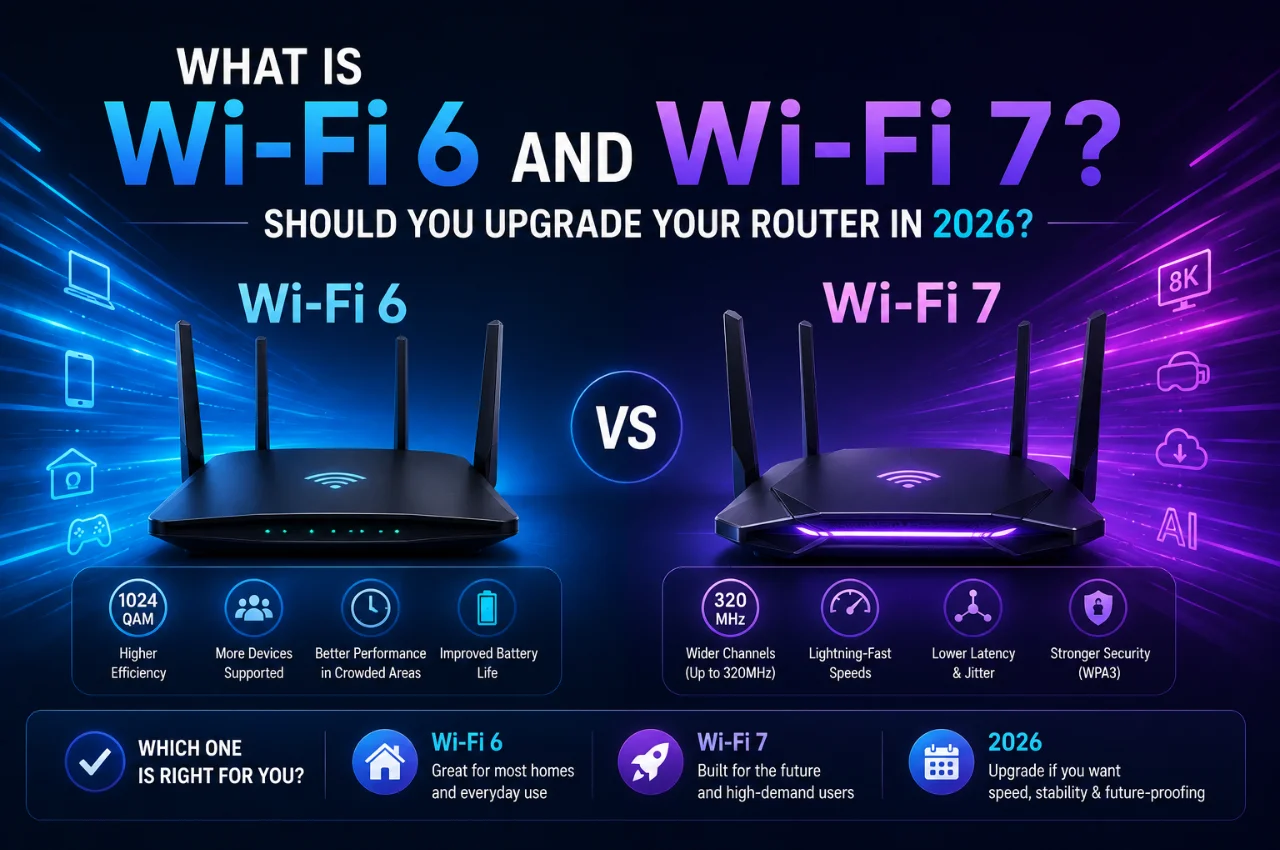
QAM — Quadrature Amplitude Modulation — refers to how much data is encoded into each wireless signal. Wi-Fi 6 uses 1024-QAM. Wi-Fi 7 upgrades to 4096-QAM, which allows approximately 20 percent more data to be packed into each transmission.
Wi-Fi 7 upgrades to 4096-QAM. Imagine you are packing a suitcase. Wi-Fi 6 folds the clothes neatly. Wi-Fi 7 vacuum seals them. It allows around 20 percent more data to be transmitted with every signal.
Wi-Fi 6 vs Wi-Fi 7 — The Complete Comparison
Technical standard: Wi-Fi 6 is 802.11ax, Wi-Fi 7 is 802.11be.
Theoretical maximum speed: Wi-Fi 6 reaches 9.6 Gbps, Wi-Fi 7 reaches 46 Gbps.
Frequency bands: Wi-Fi 6 uses 2.4 GHz and 5 GHz. Wi-Fi 7 uses 2.4 GHz, 5 GHz, and 6 GHz.
Maximum channel width: Wi-Fi 6 supports 160 MHz, Wi-Fi 7 supports 320 MHz.
Modulation: Wi-Fi 6 uses 1024-QAM, Wi-Fi 7 uses 4096-QAM.
Multi-Link Operation: Not available on Wi-Fi 6, available on Wi-Fi 7.
Latency: Wi-Fi 6 delivers 25 to 35 ms typical. Wi-Fi 7 users report 15 to 22 ms in similar network conditions.
Security: Both support WPA3, which is equally strong on both standards.
Device support: Wi-Fi 6 is supported by virtually all devices made since 2019. Wi-Fi 7 is supported by flagship smartphones from 2023 onward, premium laptops, and latest generation tablets.
Router prices in India: Wi-Fi 6 routers are available from approximately ₹3,000 to ₹15,000. Wi-Fi 7 routers generally cost 30 to 80 percent more than comparable Wi-Fi 6E models. Entry-level Wi-Fi 7 routers start around ₹12,000 to ₹18,000, with flagship models exceeding ₹40,000.
Real-World Performance — What the Numbers Actually Feel Like
Specification comparisons are useful, but what does the difference between Wi-Fi 6 and Wi-Fi 7 actually feel like in daily use?
For everyday browsing, streaming, and video calls — the honest answer is that most people will not notice a significant difference. If your internet connection is 100 Mbps, 300 Mbps, or even 500 Mbps, both Wi-Fi 6 and Wi-Fi 7 are far faster than your internet connection. The bottleneck is your internet plan, not your Wi-Fi standard. Upgrading to Wi-Fi 7 will not make your Netflix stream faster if your internet is already delivering the full speed to your router.
For households with many connected devices — smart TVs, phones, laptops, smart home devices, tablets, gaming consoles — Wi-Fi 7’s MLO and improved multi-device handling can make a noticeable difference in consistency. In a busy home where 15 to 20 devices are active simultaneously, Wi-Fi 6 can get congested and show slowdowns during peak usage periods. Wi-Fi 7 handles this congestion more effectively.
For gamers, the latency improvement is meaningful. Wi-Fi 6 users typically experience 25 to 35 ms of combined wireless and network latency, while Wi-Fi 7 users report 15 to 22 ms in similar network conditions. The difference between a 35 ms and a 15 ms wireless hop can mean the difference between playable and unplayable in fast-paced shooters.
For 4K streaming and large file transfers within the local network — such as transferring a 10 GB video file from a laptop to a NAS storage device or smart TV — Wi-Fi 7’s wider channels provide noticeably faster transfer speeds on compatible devices.
Which Devices Support Wi-Fi 7 in 2026?
An important reality check: upgrading to a Wi-Fi 7 router only delivers Wi-Fi 7 speeds and features to devices that also support Wi-Fi 7. A Wi-Fi 6 phone connected to a Wi-Fi 7 router will perform at Wi-Fi 6 speeds — it will not automatically become faster.
As of early 2026, Wi-Fi 7 client devices are becoming common in flagship smartphones including Samsung Galaxy S25 series, iPhone 16 Pro, and Google Pixel 9 Pro, premium laptops with Intel Core Ultra processors, and high-end tablets.
The iPhone 15 Pro supports Wi-Fi 6E, while Apple’s iPhone 16 and iPhone 17 families support Wi-Fi 7. The standard PS5 supports Wi-Fi 6, while PS5 Pro supports Wi-Fi 7.
Budget and mid-range phones, older laptops, and most IoT and smart home devices — smart bulbs, smart plugs, thermostats — typically support Wi-Fi 6 or older standards. Connecting these devices to a Wi-Fi 7 router gives you the full benefit of Wi-Fi 7’s improved router processing and better multi-device handling, but not the MLO and 320 MHz channel features that require both ends to support Wi-Fi 7.
Before upgrading your router, take inventory of your devices. If most of your household still uses Wi-Fi 5 or Wi-Fi 6 devices, a Wi-Fi 7 router won’t deliver its full potential.
The Wi-Fi Standards and Indian Internet Context
A critical consideration for Indian users that most international comparisons overlook: the benefit of Wi-Fi 7 depends significantly on your internet connection speed.
Most Indian broadband plans range from 100 Mbps to 1 Gbps, with the majority of homes on plans between 100 and 500 Mbps from providers like Jio, Airtel, ACT, and BSNL. Wi-Fi 6 handles speeds up to 9.6 Gbps theoretically — meaning it is already massively faster than any consumer internet plan available in India.
In this context, upgrading from Wi-Fi 6 to Wi-Fi 7 will not increase your internet speed at all — because your internet connection is the bottleneck, not your Wi-Fi. The improvement from Wi-Fi 7 in the Indian home context comes primarily from better performance in dense device environments, lower latency for gaming, and faster local network transfers between devices in the same home.
For Indian homes with Jio Fiber or Airtel Xstream Fiber connections at 1 Gbps and above, and with multiple family members simultaneously streaming, working, and gaming — Wi-Fi 7’s improved handling of dense device loads does provide a perceptible improvement.
For Indian homes on 100 to 300 Mbps plans using their connection primarily for streaming, social media, and video calls — a good Wi-Fi 6 router is genuinely sufficient and the upgrade to Wi-Fi 7 would provide minimal practical benefit at significantly higher cost.
Should You Upgrade Your Router in 2026? — The Honest Decision Guide
Here is the most practical section of this guide — a clear decision framework based on your actual situation.
Stick with your current router if it is already Wi-Fi 6 and less than three years old, your internet connection is below 500 Mbps, you are not experiencing any performance issues, and most of your devices are Wi-Fi 6 or older. In this situation, upgrading to Wi-Fi 7 will provide minimal real-world benefit for significant cost. Your existing setup is serving you well.
Upgrade to Wi-Fi 6 if your current router is Wi-Fi 5 or older, you are experiencing slowdowns when multiple devices are active simultaneously, your router is more than four years old, or you are setting up internet in a new home. Wi-Fi 6 routers are now available at very accessible price points in India — from ₹3,000 for basic models to ₹10,000 to ₹15,000 for solid mid-range options. This is the upgrade that provides the best value for money for most Indian households in 2026.
Consider Wi-Fi 7 if you have a 1 Gbps or faster fiber connection, you have a smart home with 20 or more connected devices that regularly compete for bandwidth, you are a serious gamer who wants the lowest possible wireless latency, you have recently purchased or plan to purchase flagship smartphones and laptops that support Wi-Fi 7, or you want a router that is genuinely future-proof for the next five to seven years. Wi-Fi 7 routers will serve you well as Wi-Fi 7 devices become the standard across all price segments over the next few years.
Wait for prices to drop if you are interested in Wi-Fi 7 but the price is a concern. Wi-Fi 7 router prices are expected to continue falling through 2026 to 2027 as adoption increases. Entry-level Wi-Fi 7 routers will become more accessible in India through this period.
What Should You Look for When Buying a New Router?
If you have decided it is time to upgrade, here are the key specifications to look for — beyond just the Wi-Fi standard number.
Coverage area is the most practically important factor for most homes. A router’s coverage depends on its transmit power, antenna configuration, and whether it is a single router or a mesh system. For homes larger than 1,500 to 2,000 square feet or homes with thick concrete walls — common in Indian construction — a mesh Wi-Fi system with multiple nodes provides far more consistent coverage than a single router placed in one location.
Number of simultaneous streams determines how many devices the router can serve efficiently at the same time. Look for at least a tri-band router — one 2.4 GHz band and two 5 GHz or 6 GHz bands — for homes with many connected devices.
Processor and RAM inside the router matter significantly for performance in dense device environments. Entry-level routers with weak processors can get overwhelmed when many devices are connected, regardless of the Wi-Fi standard. Look for routers with a quad-core processor for mid-range use, or a more powerful processor for heavy use.
Security features should include WPA3 support, automatic firmware updates, a built-in firewall, and ideally a guest network capability to separate IoT devices from your main network. All Wi-Fi 6 and Wi-Fi 7 routers support WPA3.
Brand reliability matters for long-term performance. TP-Link, ASUS, Netgear, and D-Link all have strong reputations for home router quality and active firmware update support. In India, TP-Link and D-Link have particularly wide availability and good after-sales support.
The Complete Picture — Wi-Fi 6 vs Wi-Fi 6E vs Wi-Fi 7 at a Glance
Wi-Fi 6 is the solid, reliable, well-supported standard that serves most households excellently. It handles multiple devices well, provides strong security, and is available at affordable prices. For most Indian homes in 2026, Wi-Fi 6 is all you need if your internet connection is below 500 Mbps.
Wi-Fi 6E is Wi-Fi 6 with access to the less congested 6 GHz band. It provides a meaningful improvement in dense environments — apartments with many neighboring networks, or smart homes with many devices — at a moderate price premium over Wi-Fi 6.
Wi-Fi 7 is the future-ready standard that delivers the lowest latency, the highest speeds for compatible devices, and the best handling of very dense device environments. It is worth the investment if you have a multi-gig fiber connection, flagship devices that support it, and a specific use case — gaming, large file transfers, or a very busy smart home — that will benefit from its capabilities.
Key Takeaway
Wi-Fi 7 is a genuine and meaningful technological improvement over Wi-Fi 6 — not just marketing. The Multi-Link Operation feature, wider channels, and lower latency are real advances that provide real benefits in the right situations.
But “genuinely better” does not mean “necessary for everyone.” For most Indian households with standard internet connections and typical device mixes, a quality Wi-Fi 6 router delivers an excellent experience and upgrading to Wi-Fi 7 is not a priority in 2026.
The practical rule: upgrade to Wi-Fi 6 if you have not already, consider Wi-Fi 7 if you have a multi-gig connection and flagship devices that support it, and wait for prices to drop further before making Wi-Fi 7 the standard choice for average household needs.
Frequently Asked Questions
Will a Wi-Fi 7 router make my internet faster?
Only if your current router is the bottleneck — which is uncommon if you already have Wi-Fi 6. If your internet plan is 300 Mbps and your Wi-Fi 6 router is delivering 290 Mbps wirelessly, a Wi-Fi 7 router will not give you 400 Mbps — because your internet connection only provides 300 Mbps. Wi-Fi 7 improves speed between devices on your local network and reduces latency, but it cannot exceed the speed your ISP provides.
Do my existing devices work with a Wi-Fi 7 router?
Yes — Wi-Fi 7 routers are fully backward compatible with Wi-Fi 6, Wi-Fi 5, and older devices. Your existing phone, laptop, and smart home devices will all connect to a Wi-Fi 7 router normally. They will connect using their own maximum capability — a Wi-Fi 6 phone will use Wi-Fi 6 speeds, not Wi-Fi 7. Only devices with Wi-Fi 7 hardware will benefit from the Wi-Fi 7 specific features.
Is Wi-Fi 6 still worth buying in 2026?
Absolutely. Wi-Fi 6 routers in 2026 are available at very attractive prices and provide excellent performance for the vast majority of Indian households. If your budget is limited or your internet connection is below 500 Mbps, a good Wi-Fi 6 router is a smart purchase that will serve you well for years.
What is the difference between a router and a mesh Wi-Fi system?
A router is a single device placed in one location in your home. A mesh Wi-Fi system consists of multiple nodes — typically two to three units — placed in different rooms to provide coverage throughout larger spaces. For homes with many rooms, thick walls, or areas that currently have weak Wi-Fi signal, a mesh system provides dramatically better coverage than a single router placed in one spot.
Which Wi-Fi standard does the iPhone 17 support?
The iPhone 16 and iPhone 17 families support Wi-Fi 7. The iPhone 15 Pro supports Wi-Fi 6E, and the standard iPhone 15 supports Wi-Fi 6. If you have an iPhone 16 or 17, upgrading to a Wi-Fi 7 router will allow your phone to use Wi-Fi 7 speeds and MLO when close to the router.
Is Wi-Fi 7 available in India?
Yes — Wi-Fi 7 routers from TP-Link, ASUS, Netgear, and other brands are available in India through Amazon, Flipkart, and authorized retailers. Wi-Fi 7 flagships from these brands are available in India, though prices remain higher than Wi-Fi 6 equivalents. Availability is expected to grow and prices to fall through 2026 and 2027.
Final Thoughts
Every new Wi-Fi standard comes with extraordinary claims about speed and performance that rarely translate directly into transformative improvements in everyday use. Wi-Fi 7 is genuinely impressive technology — but whether it is worth upgrading to right now depends entirely on your specific situation.
If your current router is working well and your devices are mostly Wi-Fi 6 generation or older, there is no urgency to upgrade. If you are buying a new router today and your budget allows, Wi-Fi 7 provides meaningful future-proofing as more devices adopt the standard over the next few years.
The most important upgrade for most Indian households in 2026 is from Wi-Fi 5 or older to Wi-Fi 6 — that transition provides the most practical improvement per rupee spent and should be the priority before considering Wi-Fi 7.
Whatever standard you choose, the basics remain the same: position your router centrally, keep firmware updated, use WPA3 security, and consider a mesh system if your home has coverage dead zones. Getting these fundamentals right matters more than the Wi-Fi generation number on your router.