
The promise was straightforward. AI handles the tedious work. You do the meaningful work. You finish earlier, feel less drained, and actually enjoy your job again.
That promise has not quite worked out the way the marketing suggested.
A UC Berkeley study published in Harvard Business Review in February 2026 tracked what happened inside a 200-person technology company when employees genuinely embraced AI tools. Researchers conducted over forty in-depth interviews with engineers, analysts, and managers. The result was uncomfortable: employees who used AI worked faster, took on broader tasks, and extended their working hours — often without being asked to. As one engineer told researchers: “You had thought that maybe, oh, because you could be more productive with AI, then you save some time, you can work less. But then really, you don’t work less. You just work the same amount or even more.”
A DHR Global survey of 1,500 corporate professionals found 83 percent experiencing burnout in 2026, with overwhelming workloads as the top cause. The WHO reported over 1.1 billion people faced burnout symptoms last year — up 25 percent from pre-AI era levels.
Meanwhile, Kantar India’s April 2026 research confirmed that “occupational burnout” and “micro retirement” are among the fastest-rising search terms among Indian professionals this year — a direct signal that the burnout question is landing close to home for millions of Indian workers in IT, finance, consulting, healthcare, and education.
So which is it? Does AI help with burnout or make it worse? The honest answer — supported by the latest research — is that it can do both, and which one happens depends almost entirely on how you use it.
What is Occupational Burnout and Why It Matters in 2026
Burnout is not the same as being tired. Everyone gets tired. Burnout is a specific state recognized by the World Health Organization as an occupational phenomenon — characterized by three distinct symptoms that develop over time when workplace stress is chronic and unmanaged.
The first symptom is emotional exhaustion — a persistent feeling of being drained that does not recover with a weekend’s rest. Work that used to feel manageable begins to feel overwhelming. Small tasks feel enormous. The motivation that used to get you started in the morning is simply absent.
The second symptom is depersonalization or cynicism — a detached, emotionally distant relationship with your work and the people around it. Colleagues, clients, and responsibilities feel like burdens rather than engagements. You find yourself going through the motions.
The third symptom is reduced personal efficacy — the feeling that despite working harder, you are achieving less. Confidence in your own competence drops. Work quality suffers. The sense that effort produces results — the basic psychological contract of productive work — breaks down.
Burnout in India’s professional workforce has specific characteristics. IT workers in Bengaluru, Hyderabad, and Pune face project timelines that do not account for cognitive load. Consultants manage multiple client demands simultaneously. Healthcare workers in understaffed hospitals carry patient loads that exceed safe practice. Finance professionals at Indian banks and NBFCs deal with regulatory demands layered on top of already full workloads. AI has entered all of these environments and is changing them — not always in the directions people hoped.
Why AI Is Making Burnout Worse for Many Workers — The Research
Before getting to the solutions, it is important to be honest about the problem. Several findings from 2026 research consistently point to ways AI is intensifying rather than relieving workplace pressure.
The task expansion problem is the most significant. When AI makes it possible to do a task faster, the typical organizational response is not to give workers more rest — it is to give them more tasks. Work expands to fill the capacity that AI creates. A writer who used to produce five articles a week can now produce fifteen with AI assistance. Their employer sees this capability and expects fifteen. The writer is not working less — they are working the same hours at higher volume, which is a different kind of exhausting.
The monitoring problem is creating a new form of cognitive strain. Harvard Business Review’s 2026 analysis describes a pattern researchers are calling “AI brain fry” — mental fatigue caused not by doing work but by supervising, checking, and validating AI outputs. When AI generates code, writes drafts, or produces analysis, a human still needs to review all of it for errors, hallucinations, and quality. This checking work is cognitively demanding and often invisible in workload calculations. Employees who manage multiple AI agents throughout the day report feeling mentally exhausted in a different way than before — less physically tired, more cognitively depleted.
The blurred boundaries problem is worsening work-life separation. An eight-month study at a US tech firm found workers using AI tools began working during lunch breaks, evenings, and weekends — not because they were told to, but because AI made it feel easy and frictionless to do just a little more. The availability of AI removed the natural friction that previously created stopping points. Previously you might stop work because the next task required research you did not have time to do. With AI, that barrier disappears — and with it, the stopping point.
The productivity paradox is real and documented. A National Bureau of Economic Research study tracking AI adoption across thousands of workplaces found average time savings of just 3 percent — far below the productivity revolution that was promised. Another study found experienced developers using AI coding tools took 19 percent longer on tasks while believing they were 20 percent faster. This cognitive disconnect — feeling more productive while actually taking longer — is particularly insidious because it prevents workers from accurately assessing their actual workload.
Workers who used AI to eliminate repetitive, low-value tasks reported lower burnout. Workers who used AI to expand scope, accelerate pace, and take on more responsibilities reported higher burnout. The difference is not in the tools — it is in how they are used and what the organizational context allows.
The Specific Ways AI Can Genuinely Help With Burnout — When Used Correctly
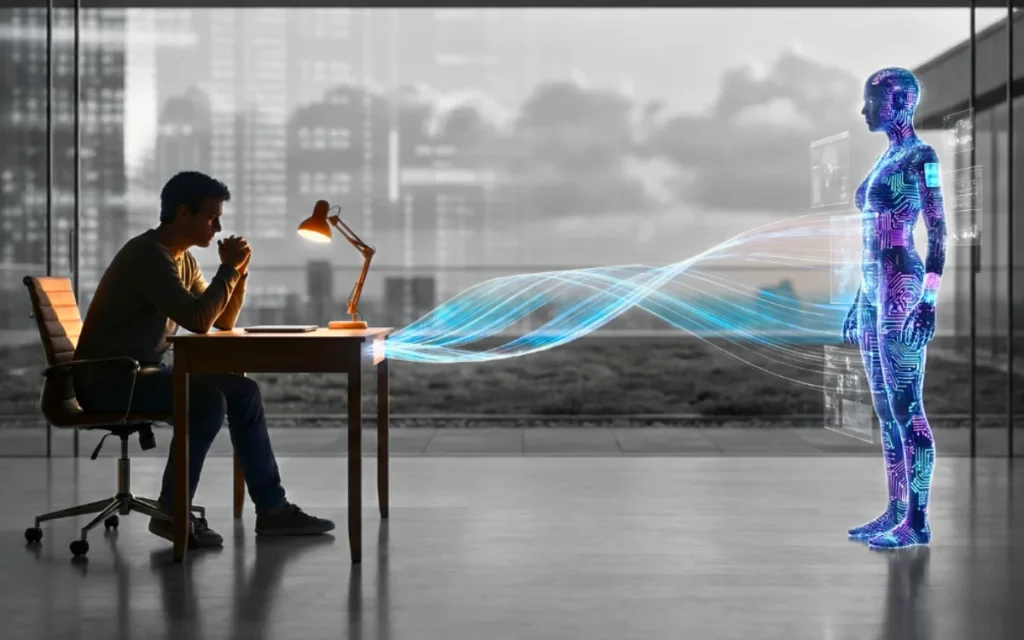
All of the above is true and important. And the evidence also shows clearly that AI, used specifically and deliberately to reduce cognitive load rather than increase output, does reduce burnout.
The distinction matters. The question is not whether to use AI — it is what you use it for and what you do with the time it creates.
AI that helps with burnout eliminates tasks you find draining without requiring you to immediately fill that time with more work. AI that worsens burnout accelerates tasks so you can do more of them in the same time.
The research is specific: workers who used AI to reduce time on routine and repetitive work reported lower burnout levels. That time created room for creative work, collaboration, and rest — which are the things that recover people from burnout, not more productive output.
Here is what that looks like concretely for Indian professionals.
For email and communication overhead:
Email management is one of the highest cognitive-load activities in knowledge work — the constant interruption, the obligation to respond, the mental switching between communication and focused work. ChatGPT, Gemini, and Microsoft Copilot can draft responses to routine emails in seconds, summarize long email threads, and suggest appropriate replies to complex messages. Used deliberately, this can reduce the cognitive drain of email by thirty to forty minutes per day. The important part: take that thirty to forty minutes as recovery time — not as time to do more work. Step away from the screen. Go for a walk. Eat lunch without your phone.
For meeting preparation and follow-up:
Preparation before meetings — reviewing materials, organizing thoughts, preparing questions — and documentation after meetings — summarizing action items, writing follow-up emails, updating records — are two of the most time-consuming peripheral activities in professional work. AI handles both well. Gemini with Google Meet integration can generate meeting summaries automatically. Claude or ChatGPT can convert rough notes into organized follow-up emails. The time saved here is real. Use it for the deeper focused work that meetings interrupt — not for scheduling more meetings.
For research and information gathering:
One of the most exhausting parts of knowledge work is not the thinking — it is the finding and organizing of information before the thinking can happen. Researching a topic, finding relevant data, reading through multiple sources, and synthesizing key points is mentally demanding preparation work. AI compresses this dramatically. Perplexity AI can produce well-sourced research summaries in minutes. ChatGPT and Gemini can synthesize large amounts of information on a topic. This reduction in information-gathering overhead is one of the clearest cases where AI saves meaningful cognitive energy.
For repetitive documentation and reports:
Writing the same type of report, analysis, or document repeatedly — with minor variations each time — is exactly the kind of task that creates burnout through tedium. Monthly status reports. Proposal templates. Performance review documentation. Project update emails. All of these have consistent structures that AI can handle given a brief description of the specifics. The professional reviews and refines — a fifteen-minute task instead of a ninety-minute one. This consistently shows up in research as a burnout-reducing application of AI.
For task organization and priority management:
Cognitive overload — having more tasks than you can hold in working memory — is a significant burnout driver. Tools like Notion AI, Microsoft Copilot in Outlook, and Google Gemini in Tasks can organize scattered notes, emails, and commitments into prioritized task lists. The reduced mental overhead of not having to remember everything and track all your commitments is genuinely relieving.
AI Tools for Burnout Detection and Prevention
Beyond productivity tools, a category of AI applications specifically focused on workplace wellbeing has developed significantly in 2026.
Google’s Burnout Buster, launched in 2026 and integrated with Google Workspace, scans email and calendar patterns for overload indicators — meetings that leave no focus time, email volume that consistently spikes late in the evening, and calendar fragmentation that prevents deep work. It surfaces these patterns as insights and suggests scheduling adjustments. Free with a basic Google Workspace subscription.
Wearable-integrated AI wellness tools — including features built into Samsung Galaxy Watch and Apple Watch — track heart rate variability, which is one of the most reliable physiological indicators of stress and recovery. AI analyzes patterns over time and can identify when physiological stress markers are consistently elevated — a signal that precedes burnout by days or weeks if ignored. The value is catching the pattern early, when behavioral adjustments are still effective, rather than after burnout has set in.
Microsoft Viva Insights, available to Microsoft 365 subscribers, analyzes your Outlook calendar and Teams activity to produce insights about focus time, collaboration time, after-hours work, and wellbeing metrics. It does not share individual data with managers — it surfaces patterns to the individual employee only. For Indian professionals in organizations that use Microsoft 365, enabling Viva Insights takes five minutes and provides genuinely useful data about your own work patterns.
The limitation worth acknowledging: all of these tools produce insights. They do not produce rest. A tool that tells you that you have been working unsustainable hours is only useful if the information changes your behaviour or your organization’s culture. AI cannot recover you from burnout. Only rest, boundaries, and reduced workload can do that. AI can help you understand the pattern and reduce the unnecessary parts of your workload. The recovery has to be human.
The Rules That Determine Whether AI Helps or Hurts Your Burnout
Based on the 2026 research, these distinctions are the clearest framework for making AI reduce your burden rather than increase it.
Use AI to eliminate, not to accelerate. If AI makes a task take fifteen minutes instead of an hour, the goal is to not do four more tasks in the remaining forty-five minutes. The goal is to do that one task in fifteen minutes and use the time difference for something that is not task completion — rest, movement, genuine connection with colleagues, focused deep work on something meaningful.
Use AI for tasks you find draining, not tasks you find meaningful. The tasks that contribute to burnout are typically the repetitive, administratively complex, or low-value ones — not the high-skill, high-meaning ones. Use AI on the former. Protect the latter from AI assistance, because the engagement and satisfaction that comes from doing meaningful work well is itself protective against burnout.
Set explicit stopping points and protect them from AI’s frictionlessness. The biggest risk of AI in the burnout context is that it removes the natural friction that created stopping points — you could always do more because the barriers disappeared. Counteract this deliberately. Decide in advance what “done” looks like for the day. Stop at that point regardless of how much easier AI has made continuing to work.
Track your actual hours, not your output. Burnout is about sustained cognitive load over time, not about how much you accomplish. A week where you produced twice as much because of AI but worked sixty hours is not a recovery — it is a path to faster burnout. What matters for recovery is the number of hours you work, the cognitive demand of those hours, and whether you have genuine rest between them.
Communicate boundaries clearly when your AI-increased capacity creates new expectations. The most important burnout-prevention conversation you can have with your manager or clients is not about AI tools — it is about workload. When AI increases your efficiency, the default is that expectations will rise proportionally. Resisting this default explicitly is the only way to actually work less rather than just work more efficiently.
Micro Recovery — What the Research Says Actually Works
For Indian professionals already experiencing burnout symptoms, AI is not the primary solution. The primary solution is rest — genuine cognitive rest, not passive scrolling. But AI can create space for that rest if used with the discipline the research recommends.
Micro-recovery breaks of ten to fifteen minutes every ninety minutes — brief periods of genuine cognitive disengagement from work — are among the most research-supported interventions for preventing and recovering from burnout. These breaks need to be genuinely restorative: a brief walk, a few minutes of focused breathing, a cup of tea without a screen, a short conversation with someone you like. Not email checking on your phone. Not “just quickly” responding to a message. Genuine disengagement.
Sleep is the most powerful burnout recovery intervention available and the most consistently neglected. Cognitive fatigue from chronic insufficient sleep is indistinguishable from burnout in many of its symptoms — and is worsened by every form of AI-assisted productivity intensification. Nothing compensates for consistently insufficient sleep. No AI tool, no supplement, no productivity hack replaces the cognitive recovery that happens during seven to eight hours of sleep.
Meaningful social connection — genuine conversations with people you care about, activities outside work, time with family — is not a productivity strategy. It is the thing that makes work sustainable. The “micro retirement” trend appearing in Indian search data reflects a generation of professionals who are reassessing whether their current work-life configuration is sustainable. The evidence suggests the answer for many people is no — and that AI, if used without intentionality, accelerates the unsustainability rather than resolving it.
Key Takeaway
AI can help with occupational burnout. It can also make it worse. The difference is not in the tools — it is in how you use them and what you do with the time they create.
The research from 2026 is consistent and important: AI that eliminates low-value, draining tasks and genuinely reduces your working hours is protective against burnout. AI that accelerates your work so you can do more of it intensifies burnout. The default — when AI tools are introduced into a workplace without deliberate boundaries — is intensification.
Changing that default requires something that no AI tool can provide on your behalf: the willingness to work less when the capacity to work more is available.
Frequently Asked Questions
Can AI tools predict burnout before it happens?
Yes, with limitations. Tools that integrate with workplace software and wearables — like Microsoft Viva Insights, Google’s Burnout Buster, and smartwatch wellness AI — can identify patterns associated with burnout risk before symptoms become severe. Heart rate variability monitoring, calendar analysis, and after-hours work patterns are among the most reliable predictors. These tools provide early warning. What you do with the warning is still a human decision.
Is using AI at work making Indian professionals more burned out?
Research from 2026 suggests the situation is mixed. Indian IT professionals, consultants, and knowledge workers who use AI to accelerate output without reducing hours are showing increased burnout indicators. The WHO’s 2026 report found burnout symptoms up 25 percent globally from pre-AI levels. Kantar India’s April 2026 report confirms burnout is among the most rapidly growing search topics among Indian professionals. The tools themselves are not the cause — the organizational expectations and individual habits around them are.
What is the most effective thing I can do about burnout right now?
Sleep adequately — seven to eight hours — consistently. This single intervention has more evidence behind it than any other burnout intervention including AI tools, therapy apps, or productivity systems. After that: reduce working hours if possible, increase genuine rest during the day, and identify the specific tasks that create the most drain relative to their value and eliminate them first.
Does AI help with creative burnout specifically?
Creative burnout — the specific exhaustion that comes from sustained creative output — responds differently to AI than operational burnout. Many creative professionals find AI useful for handling administrative and production aspects of creative work, freeing creative energy for genuinely generative work. Others find that AI assistance in the creative process reduces the depth of engagement that makes creative work satisfying in the first place. The research here is less settled. Pay attention to your own experience rather than general claims.
What should I tell my manager if AI has increased my capacity but I do not want to work more?
This is a real and important workplace conversation. The most effective framing is around sustainability rather than preference: “I have found that using AI has improved the quality and consistency of my output at my current workload level. I want to maintain that quality and consistency rather than expand scope in a way that would be difficult to sustain.” Framing your boundary as protecting quality and reliability — which serves the organization’s interests — is more likely to be received well than framing it as a preference to work less.
Final Thoughts
The most honest thing that can be said about AI and burnout in 2026 is this: the tools have arrived faster than the wisdom to use them well.
AI is genuinely capable of reducing the low-value, draining work that contributes to burnout. The research confirms this. It is also genuinely capable of intensifying workload, blurring boundaries, and creating new forms of cognitive strain that look different from traditional burnout but feel just as debilitating. The research confirms this too.
What determines which outcome you experience is not which AI tools you use. It is whether you use AI to do less, or to do more. Whether you protect the time AI creates for genuine rest, or immediately fill it with additional output. Whether you set and maintain boundaries when AI makes overworking frictionless, or allow the frictionlessness to carry you past the point of sustainability.
The technology cannot make that choice for you. But understanding what the research actually shows — rather than what the marketing promises — puts you in a significantly better position to use these tools in a way that serves your wellbeing rather than depleting it.