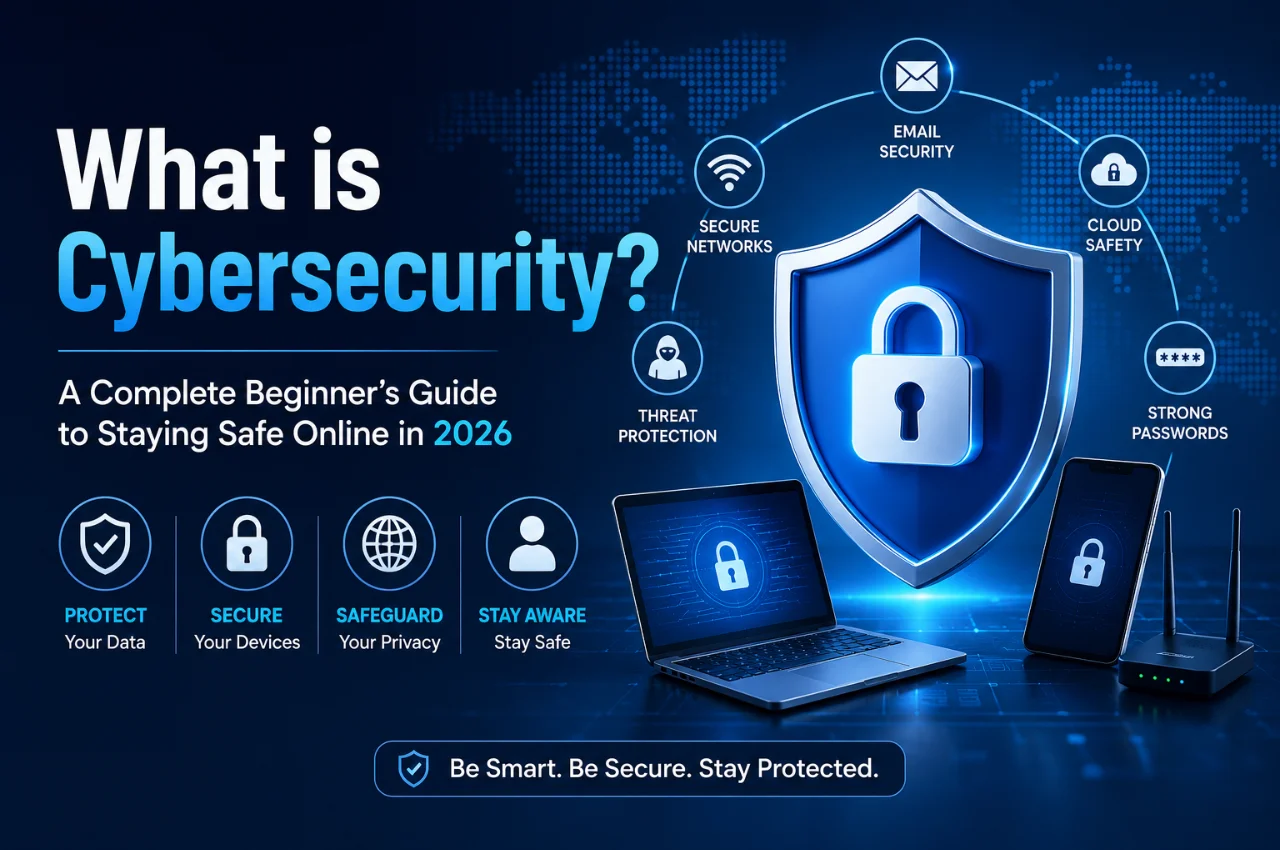
You use the internet every day. You bank online. You pay bills through UPI. You store photos in the cloud. You check your email, use social media, shop on Flipkart and Amazon, and communicate with family and colleagues through WhatsApp. Your entire digital life is woven into services that run online.
And every single one of those activities is a potential target for cybercriminals.
In 2026, India reported over 1.4 million cybercrime incidents — a number that has grown every year for a decade. Every day, ordinary people lose money to online fraud, have their accounts hacked, fall victim to phishing scams, or have their personal data stolen and sold. These are not abstract threats that happen to other people. They happen to students, professionals, senior citizens, business owners, and anyone who uses a smartphone or computer.
The good news is that cybersecurity — the practice of protecting yourself online — does not require technical expertise. It requires awareness and a set of practical habits. This guide gives you both.
What is Cybersecurity?
Cybersecurity is the practice of protecting computers, smartphones, networks, and data from unauthorized access, theft, damage, or disruption caused by malicious actors.
The word cyber refers to digital systems and the internet. Security refers to protecting something from harm. Put them together and cybersecurity means protecting your digital life from people and programs that want to harm it.
Cybersecurity covers an enormous range of activities — from the password you choose for your Gmail account to the systems that protect millions of UPI transactions every second. But at its core, it is about one simple idea: making it significantly harder for bad actors to access things that belong to you or to cause damage to things you depend on.
Think of cybersecurity like the security of your home. You lock your doors, you do not leave valuables visible through windows, you are careful about who you let in, and you are suspicious of strangers who knock and make unusual requests. Cybersecurity applies the same common-sense protective instincts to your digital life.
The reason cybersecurity has become so critically important is that virtually everything of value has moved online. Your money is in digital banking systems. Your identity is in digital databases. Your communications are in digital messaging apps. Your memories are in digital photo storage. Your professional reputation is in digital professional networks. Protecting all of this requires understanding the threats — and knowing how to defend against them.
Why Cybersecurity Matters More Than Ever in 2026
Several trends in 2026 make cybersecurity more important for ordinary individuals than at any previous point in history.
The sheer scale of digital life has expanded dramatically. India now has over 900 million internet users. The majority of banking, payments, government services, healthcare access, and commerce happens digitally. This scale means more data is online, more transactions happen digitally, and more attack surfaces exist for cybercriminals to exploit.
AI-powered attacks have made cybercrime more sophisticated and more accessible to criminals. Phishing emails that would have been identifiable by poor grammar a few years ago are now generated by AI — perfectly written, perfectly personalized, and nearly indistinguishable from legitimate communications. Voice cloning technology allows scammers to impersonate people you know with a few seconds of audio. Deepfake video enables visual impersonation in video calls.
Data breaches at large organizations expose your personal information even when you do everything right personally. When a company you trusted with your information is hacked, your email address, phone number, and password can end up on the dark web for sale — through no fault of your own. This makes personal cybersecurity habits important not just for protecting yourself from individual attacks but also for limiting the damage when organizations that hold your data are compromised.
The consequences of cybercrime for individuals are severe. Financial fraud through compromised banking credentials, stolen UPI access, or credit card data theft can result in immediate financial loss. Identity theft — where criminals use your personal information to open accounts or commit fraud in your name — can take months or years to fully resolve. Ransomware attacks on personal devices lock you out of your own files and demand payment. Reputational damage from compromised social media accounts can affect careers and personal relationships.
The Most Common Cyber Threats You Need to Know About
Understanding the threats you face is the essential first step in protecting yourself. Here are the most common and most dangerous cyber threats affecting ordinary Indian users in 2026.
Phishing is the single most common cybercrime technique globally. A phishing attack sends you a fake message — by email, SMS, WhatsApp, or phone call — that appears to come from a trusted source like your bank, a government agency, or a popular company. The goal is to trick you into clicking a malicious link, visiting a fake website, or revealing sensitive information like passwords, OTPs, or Aadhaar numbers. Phishing messages are designed to create urgency and panic — “Your account will be blocked in 24 hours.” “Suspicious transaction detected.” “Your KYC is incomplete.” The urgency pushes you to act before thinking critically.
Malware is malicious software that is installed on your device without your knowledge. It can arrive through infected email attachments, malicious website downloads, fake apps, or compromised USB drives. Different types of malware cause different harm. Viruses corrupt files and spread to other systems. Spyware silently monitors your activity and sends information to the attacker. Keyloggers record every key you press, capturing passwords and other sensitive input. Ransomware encrypts your files and demands payment to restore access.
Password attacks occur when criminals attempt to access your accounts by obtaining or guessing your passwords. Brute force attacks try millions of password combinations automatically. Credential stuffing uses username and password combinations stolen in one breach to try accessing other services — relying on the fact that many people reuse the same password across multiple accounts. Dictionary attacks try common words, phrases, and predictable password patterns. A weak or reused password makes your accounts vulnerable to all of these methods.
Man-in-the-middle attacks occur when an attacker secretly intercepts communications between you and a legitimate service — such as your bank’s website. This typically happens on unsecured public Wi-Fi networks. The attacker can read your communications, steal credentials, and in some cases alter the information being transmitted without either party knowing. Using public Wi-Fi without a VPN exposes you to this risk.
Social engineering is the manipulation of people rather than systems. Rather than hacking your computer, social engineering hacks your psychology — using deception, authority, urgency, fear, or trust to make you willingly give up sensitive information or take actions that compromise your security. Phishing is a form of social engineering, but it also includes vishing (phone-based manipulation), pretexting (creating a false scenario to extract information), and impersonation. The “digital arrest” scam widely reported in India — where callers claim to be law enforcement and keep victims on extended calls to prevent them from consulting others — is a sophisticated social engineering attack.
Data breaches happen when criminals gain unauthorized access to a company’s database and steal the personal information of its users. This stolen data — which may include names, email addresses, phone numbers, passwords, and financial information — is typically sold on dark web marketplaces. Data breaches are largely outside your direct control, but their consequences can be mitigated by using unique passwords for every account and enabling two-factor authentication.
Unsecured Wi-Fi risks arise on public Wi-Fi networks in cafes, airports, hotels, and other public places. These networks often lack encryption, making it possible for others on the same network to intercept your internet traffic. Accessing sensitive accounts — banking, email, or anything requiring a password — on public Wi-Fi without a VPN is a significant security risk.
The Foundations of Cybersecurity — The CIA Triad
Security professionals organize cybersecurity thinking around three fundamental principles called the CIA Triad. Understanding these principles helps you understand what cybersecurity is trying to achieve and why specific protection measures matter.
Confidentiality means that your information is accessible only to the people and systems that are authorized to see it. Your bank balance should be visible only to you and your bank. Your private messages should be readable only by you and the intended recipient. Your passwords should be known only to you. Confidentiality is violated by unauthorized access, data breaches, and eavesdropping.
Integrity means that your information is accurate and has not been tampered with by unauthorized parties. The amount in your bank account reflects actual transactions — no unauthorized changes have been made. The documents you sign have not been altered. The software you downloaded has not been modified to include malware. Integrity is violated by data manipulation, malware that alters files, and man-in-the-middle attacks that modify communications.
Availability means that you can access your information and systems when you need them. Your banking app works when you need to make a payment. Your email is accessible when you need to communicate. Your files are available when you need to work. Availability is violated by ransomware that locks you out of your files, denial-of-service attacks that take down websites, or hardware failure without proper backups.
Every cybersecurity measure — every password, every encryption system, every backup — is designed to protect one or more of these three properties.
The 10 Most Important Cybersecurity Habits Every Indian Should Practice
This is the most practical and immediately actionable section of this guide. These ten habits provide comprehensive protection against the vast majority of threats that ordinary users face.
Habit one
use strong, unique passwords for every account. A strong password is long (at least 12 characters), random, and contains a mix of uppercase and lowercase letters, numbers, and symbols. The most important property is uniqueness — every account should have a different password. This ensures that when one account’s password is leaked in a data breach, none of your other accounts are vulnerable. Using a password manager — a secure app that generates and stores unique passwords for every site — makes this practical without needing to memorize dozens of complex passwords. Bitwarden is a free, highly recommended password manager. 1Password and Dashlane are excellent paid options.
Habit two
enable two-factor authentication on every important account. Two-factor authentication — also called 2FA or two-step verification — requires a second piece of verification beyond your password when you log in. Even if someone gets your password, they cannot access your account without also having your second factor — typically a code sent to your phone or generated by an authenticator app. Enable 2FA immediately on your email accounts, banking apps, social media, and any account that contains sensitive information. Authenticator apps like Google Authenticator or Microsoft Authenticator generate time-based codes that are more secure than SMS codes.
Habit three
never share your OTP with anyone. Your One-Time Password is your final line of defense in digital transactions. No bank employee, government official, customer service representative, or tech support agent will ever legitimately ask you for your OTP. If anyone requests your OTP by phone, message, or any other means — it is fraud, without exception. Hang up immediately and contact the organization through its official number.
Habit four
keep all software and apps updated. Software updates include security patches that fix known vulnerabilities that attackers actively exploit. Running outdated software on your phone, computer, or any app is like leaving a known unlocked window in your home. Enable automatic updates on your phone, computer operating system, and all important apps. Do not dismiss update notifications — they exist for security reasons.
Habit five
be suspicious of unsolicited messages. Any unexpected message that creates urgency — asking you to click a link, verify your account, claim a prize, or take immediate action — should be treated with maximum skepticism. Do not click links in unsolicited messages. Instead, go directly to the official website by typing the URL in your browser, or call the official customer service number printed on your card or found on the organization’s official website. Verify the claim through official channels before taking any action.
Habit six
use a VPN on public Wi-Fi. Whenever you use public Wi-Fi — in a cafe, airport, hotel, or any location — use a Virtual Private Network (VPN) to encrypt your internet traffic. A VPN prevents others on the same network from being able to intercept and read your communications. Reputable paid VPN services include NordVPN, ExpressVPN, and Surfshark. Avoid free VPNs — many of them collect and sell your data, which defeats the purpose.
Habit seven
only download apps from official stores. Install apps only from the Google Play Store on Android and the Apple App Store on iPhone. Both stores review apps for malware before listing them. Avoid downloading apps from websites, links in messages, or third-party app stores — these are common vectors for delivering malware onto devices. If an app requires you to disable security settings to install it, do not install it under any circumstances.
Habit eight
check URLs carefully before entering any sensitive information. Before typing a password, OTP, or financial information on any website, look at the address bar. Verify that the domain name is exactly correct — phishing sites use subtle variations like sbi-secure.com instead of sbi.co.in, or amazon-in-offers.com instead of amazon.in. Look for HTTPS in the URL — the S indicates an encrypted connection. A padlock icon confirms HTTPS but does not guarantee the site is legitimate, only that the connection is encrypted.
Habit nine
use your devices’ built-in security features. Lock your phone with a strong PIN, fingerprint, or face recognition. Enable Find My Device on Android so you can locate or remotely wipe your phone if it is lost or stolen. Enable full-device encryption on your phone — most modern Android phones encrypt storage by default. On your computer, use Windows Defender or your Mac’s built-in security features. These basic, built-in tools provide a significant baseline of protection at no cost.
Habit ten
back up your important data regularly. Ransomware attacks lock you out of your own files and demand payment. The most effective defense is a current backup that makes you independent of the attacker’s demands — you simply restore your files rather than paying the ransom. Regular backups also protect against hardware failure, accidental deletion, and phone loss or damage. Back up photos to Google Photos, important files to Google Drive or your computer, and WhatsApp messages using WhatsApp’s built-in backup feature.
Cybersecurity for Different Aspects of Your Digital Life
Different areas of your digital life require specific attention. Here is how cybersecurity principles apply to the most important everyday digital activities.
Online Banking and UPI Safety requires the strictest habits of all. Use only the official app downloaded from the Play Store or App Store — never a link sent to you. Enable biometric authentication for all payment apps. Set transaction limits and alerts on your banking apps so you are immediately notified of any activity. Never use public Wi-Fi for banking transactions. And remember — no bank will ever call you asking for your PIN, password, or OTP.
Email Security matters because your email account is the master key to your digital life. If someone gains access to your email, they can use it to reset passwords on all your other accounts. Use a strong unique password, enable two-factor authentication, and review the security settings in your email provider. Be extremely cautious about email attachments from unfamiliar senders and links in unexpected emails.
Social Media Security protects your personal information and reputation. Use strong unique passwords on every platform. Enable two-factor authentication. Review your privacy settings to control who can see your posts and personal information. Be careful about what personal information is publicly visible — your date of birth, phone number, and home location are all sensitive. Be cautious about third-party apps that request access to your social media accounts — they often collect far more data than necessary.
Device Security covers both your phone and computer. Keep your operating system and all apps updated. Use screen lock with a PIN, fingerprint, or face recognition. Enable remote wipe capability. Do not root or jailbreak your device — these actions remove important security protections. Install a reputable security app from a trusted provider for an additional layer of protection.
Public Wi-Fi Safety means treating any public Wi-Fi network as potentially hostile. Use a VPN whenever connecting to public Wi-Fi. Avoid accessing banking, email, or any account containing sensitive information on public networks without a VPN. Use your mobile data connection for sensitive transactions when a trusted Wi-Fi network is not available.
How to Know If You Have Been Hacked
Recognizing the signs of a security compromise quickly is important for minimizing the damage. Here are the most common warning signs.
You receive a notification of a login to your account from an unfamiliar device or location. Your accounts send messages you did not write. You notice unexpected transactions in your banking or payment app. Your contacts receive strange messages appearing to come from your accounts. Your phone becomes unusually slow, hot, or drains battery rapidly — potential signs of malicious background activity. Apps you did not install appear on your device. You are locked out of accounts with passwords you know are correct. You receive password reset emails you did not request.
If you notice any of these signs, act immediately. Change passwords for the affected accounts and any accounts using the same password. Enable two-factor authentication if not already active. Check your accounts for unauthorized activity. Contact your bank immediately if financial accounts are affected. Report cybercrime at cybercrime.gov.in or by calling 1930, India’s National Cybercrime Helpline.
Cybersecurity for Children and Senior Citizens
These two groups represent some of the most vulnerable users and deserve specific attention.
For children and teenagers, the most important protections are parental controls on devices and apps, education about not sharing personal information online with strangers, awareness of online predator tactics, guidance on recognizing cyberbullying and knowing who to tell, and strong privacy settings on social media accounts.
For senior citizens, who are frequently targeted by scammers because they are perceived as less digitally experienced, the most important protections are clear guidance on the rule that no government official or bank employee will ever ask for OTP or passwords over the phone, awareness of common scam scenarios including fake law enforcement, fake tech support, and fake lottery wins, help setting up two-factor authentication and strong passwords, and a trusted family member or friend who can be consulted before taking any action prompted by an unexpected call or message.
The single most protective thing you can do for a senior citizen in your family is to regularly remind them: no government agency conducts digital arrests, no genuine bank employee asks for OTPs, and any urgent call asking for money or information should be verified with a trusted family member before acting on it.
Free Tools and Resources for Staying Safe
You do not need to spend money to protect yourself effectively online. These free tools provide essential protection.
Bitwarden is a free, open-source password manager that generates and stores strong unique passwords for every account. It is available as a browser extension and mobile app and is widely considered the best free password manager available.
Google Authenticator and Microsoft Authenticator are free apps that generate time-based two-factor authentication codes for your accounts. They are more secure than SMS-based two-factor authentication and work even without internet connectivity.
Have I Been Pwned at haveibeenpwned.com is a free service where you can enter your email address to check whether it has appeared in any known data breaches. If your email appears, the site tells you which breach it came from and what information was exposed.
Google Play Protect is built into every Android phone and automatically scans apps for malware. Ensure it is enabled by opening the Play Store, tapping your profile icon, and selecting Play Protect.
Windows Defender on Windows computers and XProtect on Mac provide built-in antivirus and security protection at no cost.
Cybercrime.gov.in is India’s official cybercrime reporting portal. If you are a victim of online fraud, cyberstalking, hacking, or any other cybercrime, file a complaint here or call the National Cybercrime Helpline at 1930.
Key Takeaway
Cybersecurity is not about becoming a technical expert. It is about developing awareness and habits that make you a significantly harder target for the criminals who are systematically exploiting the many people who have not developed these habits.
The ten habits covered in this guide — strong unique passwords, two-factor authentication, never sharing OTPs, keeping software updated, being suspicious of unsolicited messages, using a VPN on public Wi-Fi, downloading apps only from official stores, checking URLs, using built-in security features, and backing up your data — address the vast majority of threats facing ordinary users.
Your digital life is valuable. It contains your money, your memories, your identity, and your communications. Protecting it requires fifteen minutes of setup and a few simple habits maintained consistently. That investment is small compared to the harm that a single successful attack can cause.
Start today. Enable two-factor authentication on your email right now. Check that your most important accounts have unique passwords. Verify your phone’s backup is running. These three steps alone move you from vulnerable to significantly protected.
Frequently Asked Questions
What is the most important thing I can do right now to improve my cybersecurity?
Enable two-factor authentication on your primary email account. Your email is the master key to your digital life — if someone gets access to it, they can reset passwords on all your other accounts. Adding two-factor authentication means that even if someone gets your password, they cannot get into your email without also having access to your phone. This single step provides more protection than almost any other single action.
Is my smartphone safe from hackers?
Modern smartphones have strong built-in security, but they are not immune. The biggest risks come from phishing attacks that trick you into giving up credentials, malicious apps downloaded from unofficial sources, using public Wi-Fi without a VPN, outdated software with unpatched vulnerabilities, and weak or reused passwords. Following the habits in this guide significantly reduces all of these risks.
Do I need to pay for antivirus software?
For most ordinary users in 2026, the free built-in security tools — Google Play Protect on Android, Windows Defender on Windows, XProtect on Mac — provide adequate baseline protection. Paid antivirus software offers additional features like identity monitoring, VPN services, and advanced threat detection that may be valuable for users with higher security needs. If you are considering paid security software, ensure it is from a reputable company and purchased from the official website or app store, not through a pop-up or unsolicited advertisement.
What should I do if I receive a suspicious call from someone claiming to be from my bank?
Hang up immediately. Do not provide any information regardless of what the caller says or how official they sound. Then call your bank directly using the official number printed on the back of your card or found on the official bank website — not a number the caller provided. Genuine bank security teams never ask for OTPs, PINs, or passwords over the phone.
How do I know if a website is safe to enter my password or payment information?
Check that the website address begins with HTTPS and shows a padlock icon in the address bar. Verify that the domain name is exactly correct — look carefully at the full URL, not just the display name. If the site was reached by clicking a link in an unsolicited message, close it and navigate to the official website by typing the URL directly. For payment pages specifically, also check that the website domain belongs to the legitimate company — a payment page on a domain you do not recognize is a major red flag.
What is the best way to report cybercrime in India?
File a complaint at cybercrime.gov.in, India’s official National Cybercrime Reporting Portal. You can also call the National Cybercrime Helpline at 1930, which is available 24 hours a day. For financial fraud, also contact your bank immediately — most banks have a 24-hour fraud helpline and can freeze accounts and attempt transaction reversal if reported quickly enough.
Final Thoughts
Cybersecurity is not a problem that technology alone can solve. The most sophisticated security systems in the world are regularly defeated not by technical hacking but by manipulating the people who use them — through phishing, social engineering, and psychological exploitation of urgency and fear.
The most effective cybersecurity defense is an informed and aware user. Someone who knows how phishing works does not fall for it. Someone who understands why two-factor authentication matters enables it. Someone who recognizes the signs of a scam call hangs up rather than complying.
This guide has given you that foundation. The threats are real, they are growing, and they are targeting ordinary people. But the protection is accessible, affordable, and straightforward. The habits covered here do not require technical expertise — they require attention and consistency.
Your digital life deserves the same protection as your home, your wallet, and your personal safety. Apply what you have learned here and share it with the people in your life who need it most.