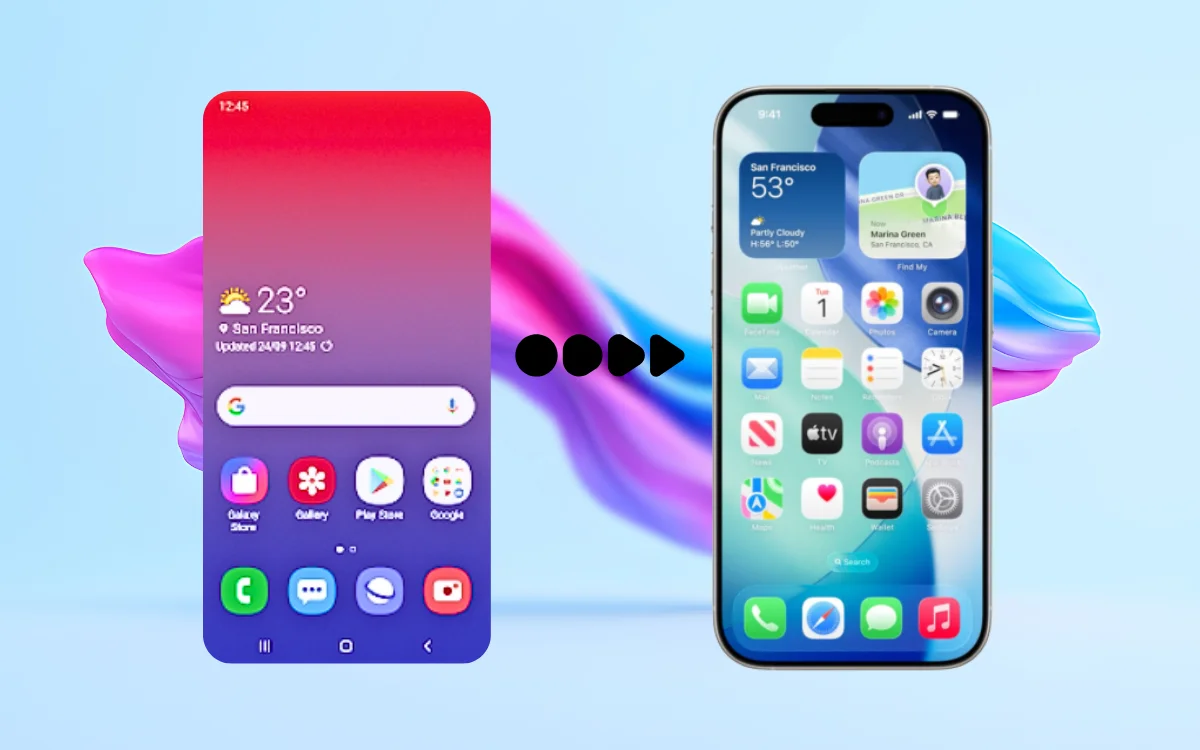
Many Android users enjoy the flexibility of their phones but still admire the clean design and smooth interface of iPhones. With the rise of modern launchers, it’s now possible to recreate the Apple iPhone 17–style look with an iOS 26–inspired theme directly on an Android device—without changing your phone or installing a custom ROM.
In this article, we’ll explain what the iPhone 17 Launcher (OS 26) does, what kind of experience you can realistically expect, and how to use it safely on your Android phone.
What Is iPhone 17 Launcher (OS 26)?
The iPhone 17 Launcher (OS 26) is an Android launcher app designed to visually transform your Android phone to look similar to an iPhone running a modern iOS-style interface.
It focuses on:
- iOS-style home screen layout
- App icons inspired by Apple’s design language
- Control Center–like quick toggles
- Clean animations and transitions
Important to note:
This launcher does not install real iOS or Apple software. It only changes the appearance and navigation style on Android.
What You Actually Get (and What You Don’t)
Let’s be realistic and honest.
What You Get
- iOS-inspired app icons and layout
- iPhone-style control panel look
- Smooth transitions similar to iOS
- A visually clean, minimal interface
What You Don’t Get
- Real iOS features or Apple system apps
- Deep system-level changes
- Apple-exclusive services like iMessage or FaceTime
This launcher is about visual experience, not replacing Android’s core system.
Key Features of iPhone 17 Launcher (OS 26)
iOS-Style Home Screen
Apps are arranged in a grid similar to an iPhone, with rounded icons and consistent spacing.
Control Center–Inspired Panel
Swipe gestures open a panel that resembles Apple’s Control Center, giving quick access to Wi-Fi, brightness, sound, and more.
Lock Screen Customization
Some versions include lock-screen effects or clock styles inspired by iOS design trends.
Smooth Animations
Animations are designed to feel fluid and minimal, closely matching the iOS aesthetic.
Easy Setup
No rooting or advanced configuration required. Installation works like any other Android app.
How to Set Up iPhone 17 Launcher on Android
Setting it up is simple and safe:
- Install the Launcher
Download the iPhone 17 Launcher (OS 26) from the Google Play Store. - Set It as Default Launcher
Open the app and allow it to become your default home screen. - Grant Required Permissions
Some features (like gestures or control panel access) may need basic permissions. - Customize the Look
Adjust icons, animations, wallpapers, and layout from the launcher settings. - Test Performance
Use your phone normally and adjust settings if animations feel slow on older devices.
Is It Safe to Use?
In general, launchers are safe if:
- Installed from the Play Store
- Permissions are reviewed carefully
- No unnecessary access is granted
This type of launcher does not modify system files, so uninstalling it will instantly restore your original Android home screen.
Performance and Battery Impact
Most iOS-style launchers are lightweight, but performance depends on:
- Your phone’s RAM
- Processor speed
- Enabled visual effects
On older devices, disabling heavy animations can improve smoothness and battery life.
Who Should Try This Launcher?
This launcher is a good option if:
- You like iPhone-style design but prefer Android
- You want a fresh visual experience
- You enjoy customizing your phone
It may not be ideal if:
- You want real iOS functionality
- You prefer stock Android simplicity
- Your phone struggles with heavy UI effects
Android vs iOS Style: The Best of Both Worlds
Using an iOS-style launcher lets you enjoy:
- Android’s app freedom and customization
- iPhone-inspired visuals and layout
This hybrid experience is why such launchers remain popular among Android users.
Final Thoughts
The iPhone 17 Launcher (OS 26) is a simple and reversible way to bring an Apple-inspired iOS 26 theme to your Android phone. It doesn’t turn Android into an iPhone—but it does deliver a clean, modern look that many users enjoy.
If you understand its limitations and use it purely for design and personalization, it can be a fun and practical customization option.