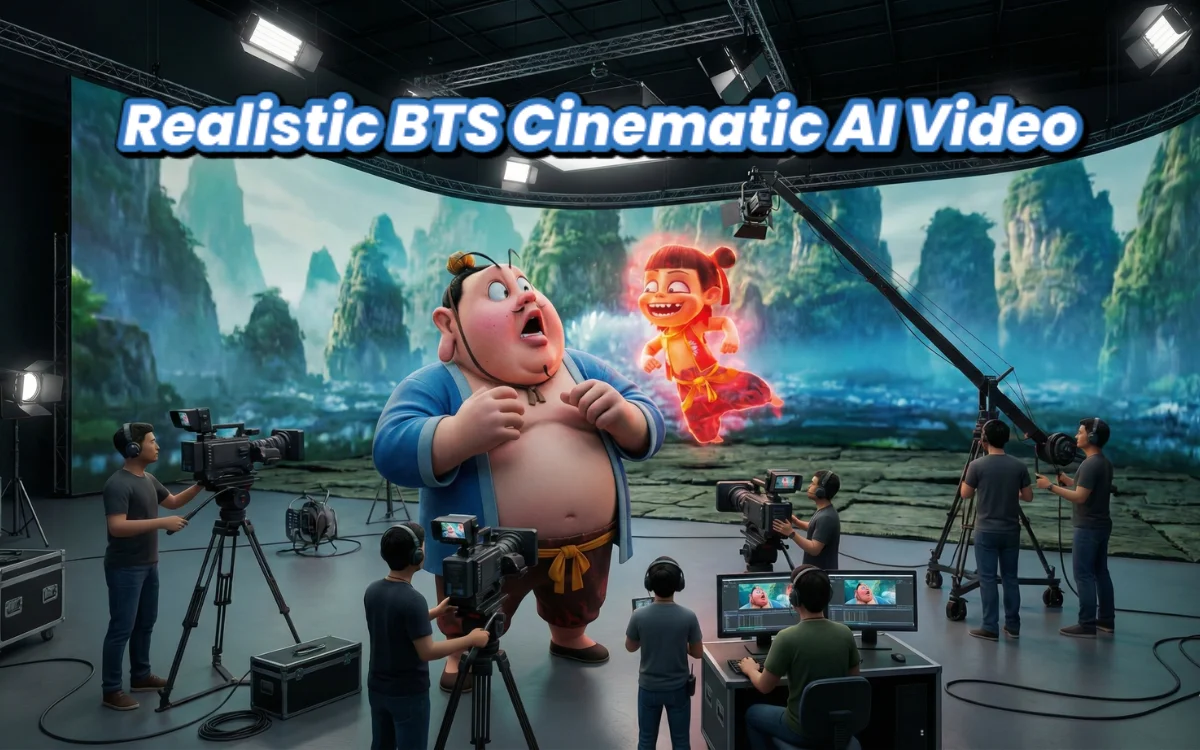
Behind-the-scenes (BTS) style AI videos are becoming popular because they feel real, professional, and emotionally intense. Instead of over-dramatic effects, these videos focus on natural acting, subtle motion, and cinematic realism.
In this guide, you will learn how to turn a single uploaded image into a professional BTS documentary-style AI video using carefully written prompts and the right workflow.
No advanced editing skills required.
What Type of Video Are We Creating?
Your scene concept:
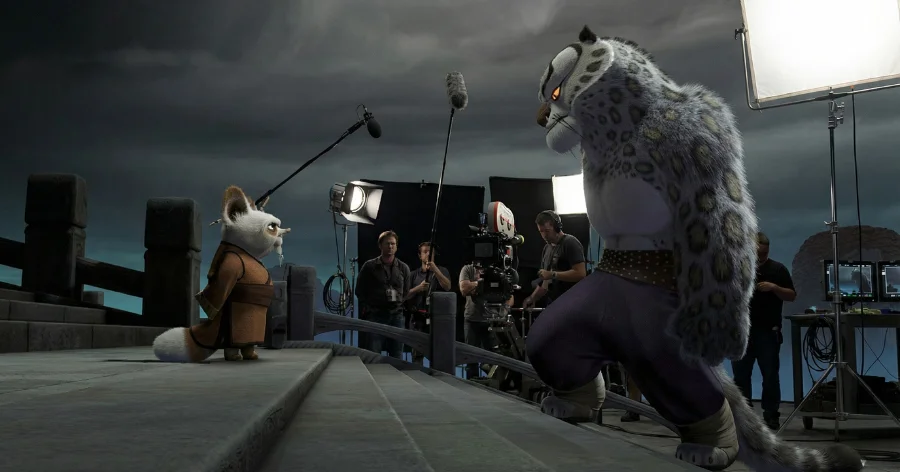
Two characters are staring at each other angrily during a professional film shoot.
This is a serious, emotional, realistic BTS moment, not a dramatic movie scene.
The goal is:
- Natural tension
- Professional film-set feeling
- Subtle movements
- Documentary realism
Step 1: Prepare Your Reference Image
Use your uploaded image as the base reference.
Important rules:
- Do not change faces
- Do not change positions
- Do not change background
- Do not add new people or props
- Do not modify the layout
This keeps realism intact and avoids distortion.
Step 2: Image Prompt (For Image Enhancement or Re-creation)
Use this prompt when generating or enhancing the image:
✅ Image Prompt
BTS scene description: Two main characters are staring at each other angrily with serious expressions during a professional film shoot.
Use the uploaded image as the base reference. Keep all characters, faces, proportions, positions, and the overall setup unchanged.
The environment is a behind-the-scenes film set with cameras, lighting rigs, and crew visible in the background.
Maintain realistic lighting, natural skin texture, accurate clothing folds, real facial tension, and professional studio atmosphere.
No stylization, no cartoon look, no cinematic exaggeration.
Realistic photography style, documentary BTS realism, natural colors, sharp focus, cinematic depth, 9:16 or 16:9 ratio.
Step 3: Choose the Right AI Video Tool
Best tools for this type of realism:
- Runway Gen-3
- Luma Dream Machine
- Pika Labs
Use Image-to-Video mode.
Step 4: Video Animation Prompt (Main Prompt)
Now use this for video generation:
✅ Video Prompt
BTS scene description: Two characters are staring at each other angrily during a professional film shoot.
Use the uploaded image as the base reference. Keep all characters, faces, proportions, positions, and the overall setup unchanged.
Animate the existing behind-the-scenes film set naturally, making it feel like a real moment during a professional shoot.Add subtle, realistic motion based on the scene:
– Natural body and hand movement of the main characters
– Scene-appropriate facial expressions and slow head movement
– Small, professional movements from the camera crew
– Smooth, controlled motion of cameras and rigs
– Soft, realistic lighting adjustmentsMaintain a serious, focused, professional BTS atmosphere.
No exaggerated actions or dramatic motion.
Preserve depth, perspective, and realism of the 3D studio space.
Do not change the scene layout or introduce new elements.
Smooth cinematic motion, realistic timing, stable framing.High-quality behind-the-scenes documentary style animation.
Step 5: Correct Video Settings
Use these settings for best results:
- Duration: 5–8 seconds
- Frame rate: 24–30 FPS
- Style: Cinematic / Documentary
- Motion strength: Low to medium
- Camera motion: Subtle
Avoid high motion strength — it destroys realism.
Step 6: What Should Move and What Should Not
Should Move:
- Eyes
- Small head movement
- Slight hand tension
- Background crew shifting slightly
- Camera operator small adjustments
- Light flicker or soft change
Should NOT Move:
- Character position
- Scene layout
- Camera angle drastically
- Body posture heavily
Step 7: Sound Design (Optional but Powerful)
Add subtle sound like:
- Low studio ambience
- Light camera rig movement sound
- Very soft room tone
No music is often better for BTS realism.
Step 8: Final Editing
Use CapCut or similar:
- Slight contrast boost
- Tiny film grain
- No filters
- No text overlay
Let realism speak.
Step 9: Caption Ideas for Posting
Keep captions simple and emotional:
- “This moment was not scripted.”
- “Behind the scenes, the tension was real.”
- “Some looks say everything.”
- “BTS moments feel more real than scenes.”
Common Mistakes to Avoid
❌ Over animation
❌ Face distortion
❌ Changing camera angle
❌ Adding dramatic effects
❌ Fast motion
❌ Cartoon lighting
Why This BTS Style Works
People love BTS videos because:
- They feel real
- They show human emotion
- They look professional
- They create curiosity
- They feel like hidden moments
This increases watch time and shares.
Final Advice
This style is not about action.
It is about emotion, realism, and subtlety.
If your video feels like it could belong in a real documentary, you have done it right.